
IALA buoyage · Level R4 · 4 parts · about 12 min
Racons, AIS aids to navigation and virtual marks
4 short parts: Racons · AIS AtoN · Virtual marks · e-Navigation. Each part explains the idea, then gives the points to remember, the common mistakes, a worked case and a practice question; the Academy unit adds all 24 check questions.
1 · Racons
Racons: marks that answer your radar
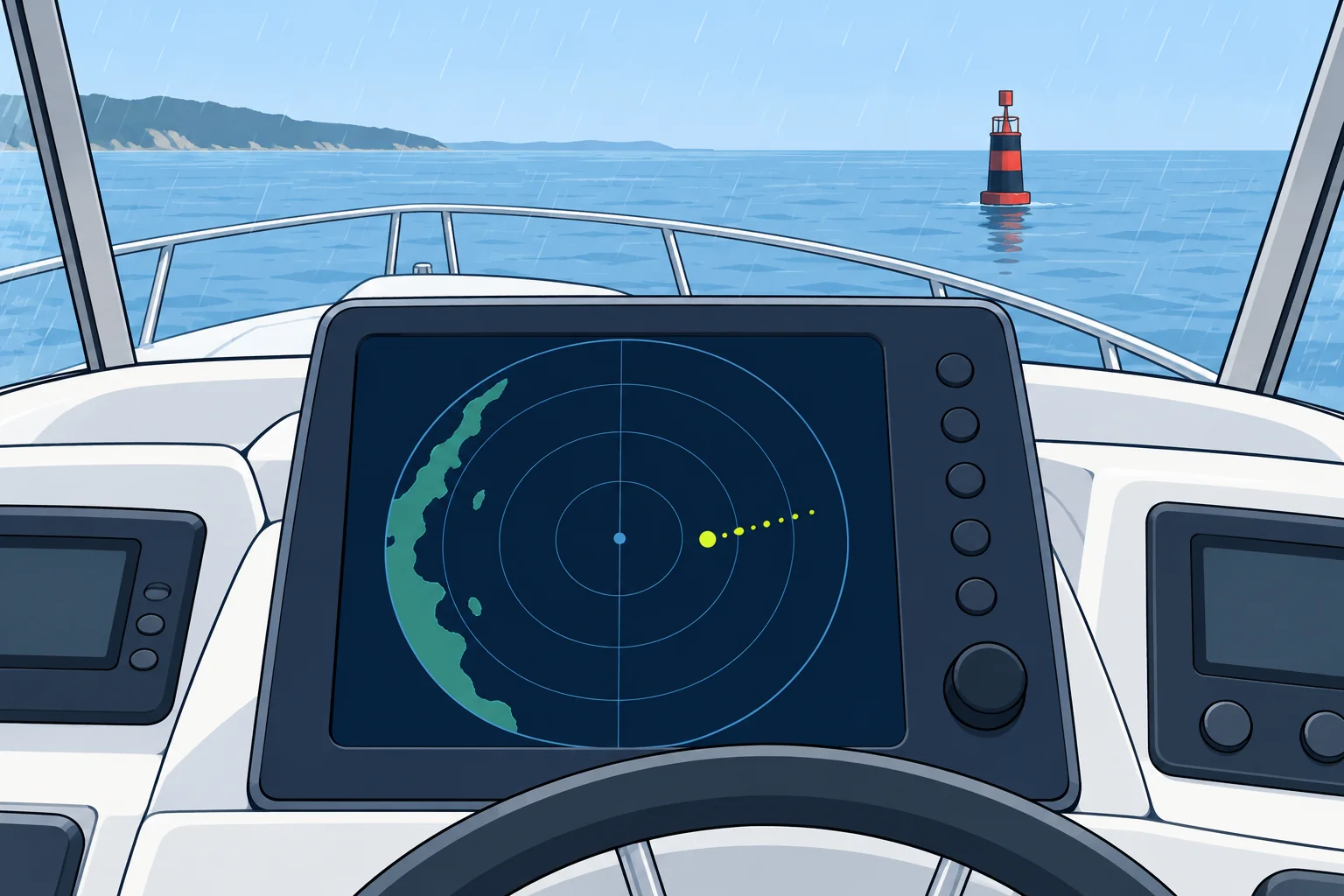
A racon answers your radar pulse with a Morse letter on the screen. It picks out a mark among the clutter and tells you which one it is.
What a racon is
A racon (radar beacon) is a receiver-transmitter on a buoy, beacon, lighthouse or bridge. When your radar pulse reaches it, it replies on your radar’s own frequency. Your display then shows a short line of dots and dashes forming a Morse letter: the racon’s identifier, which the chart prints beside the mark, for example Racon (K).
How it looks
The response starts just beyond the mark’s echo, because the racon takes a moment to reply, and runs outward along the bearing, away from you, for a mile or more on screen. Racon identifiers normally begin with a dash; check the letter shown on the chart. The response gives the mark’s bearing. Measure range to the physical echo when available; the response’s near end gives an approximate range because the reply is delayed.
Bands and codes
Racons operate in X band (9300–9500 MHz, 3 cm), S band (2900–3100 MHz, 10 cm), or both. Check the published bands for that racon. Modern racons are frequency agile: they detect each radar pulse and reply at once on its frequency. Under IALA, a new danger may carry a racon transmitting Morse D (– · ·). Match the identifier to the chart; D is not globally reserved for new dangers.
When you cannot see it
The rain clutter control (anti-rain, or FTC) and some interference filters can hide a racon: turn them down briefly to look. A badly tuned receiver weakens it. At close range the response may smear. Unusual bending of radar waves in the atmosphere can produce misleading flashes. Check the published identifier over several scans and any transmission cycle, then cross-check the chart and other aids.
Solid-state radars
Many new small-craft radars are solid-state sets, using long, low-power pulses or a continuous sweep instead of the short, powerful pulses of traditional magnetron radars. They may show a racon weakly, oddly or not at all. Check your radar’s manual, and test it on a known racon before you rely on one.
Key figures
- Racon response
- Morse letter starting just beyond the mark’s echo
- Bands
- X band, S band, or both; check the published bands.
- Morse D (– · ·)
- IALA convention for a new danger, such as a recent wreck
- Can be hidden by
- Rain clutter control, interference filters, poor tuning
Remember
- A racon replies to your radar with a Morse letter just beyond the mark’s echo.
- Racon identifiers normally start with a dash; under IALA, Morse D marks a new danger.
- Rain clutter control can hide a racon; turn it down briefly to check.
- Solid-state radars may not show racons well: test yours.
Common mistakes
Wrong: The racon is at the far end of the Morse line.
Right: The mark is near the start of the response, not its far end. Use its physical echo for range when available.
Wrong: If no racon appears, the mark is missing.
Right: Check the clutter controls and tuning first. Some solid-state radars do not show racons.
Worked case
In rain at night you look for a charted buoy marked Racon (K). The screen shows heavy rain clutter and no Morse response. What do you check before deciding the buoy is missing?
Show the answer
Rain clutter control and interference filters can suppress a racon, so turn the rain control down briefly and look again on the expected bearing. Check the radar’s tuning. A solid-state radar may not show racons at all. Then cross-check with the buoy’s light, the depth and your position before concluding that the buoy is missing or out of position, and report it.
Practice question
Where does a racon response appear on your radar display?
- Just short of the mark’s echo
- At the centre of the display
- On the opposite bearing
- Just beyond the mark’s echo
Show the answer
Answer: D. The racon’s short delay puts the response just beyond the echo, running outward along the bearing.
2 · AIS AtoN
AIS aids to navigation
AIS aids to navigation send a mark’s identity, position and status to your display. A virtual aid represents a mark with no physical buoy or beacon.
What it is
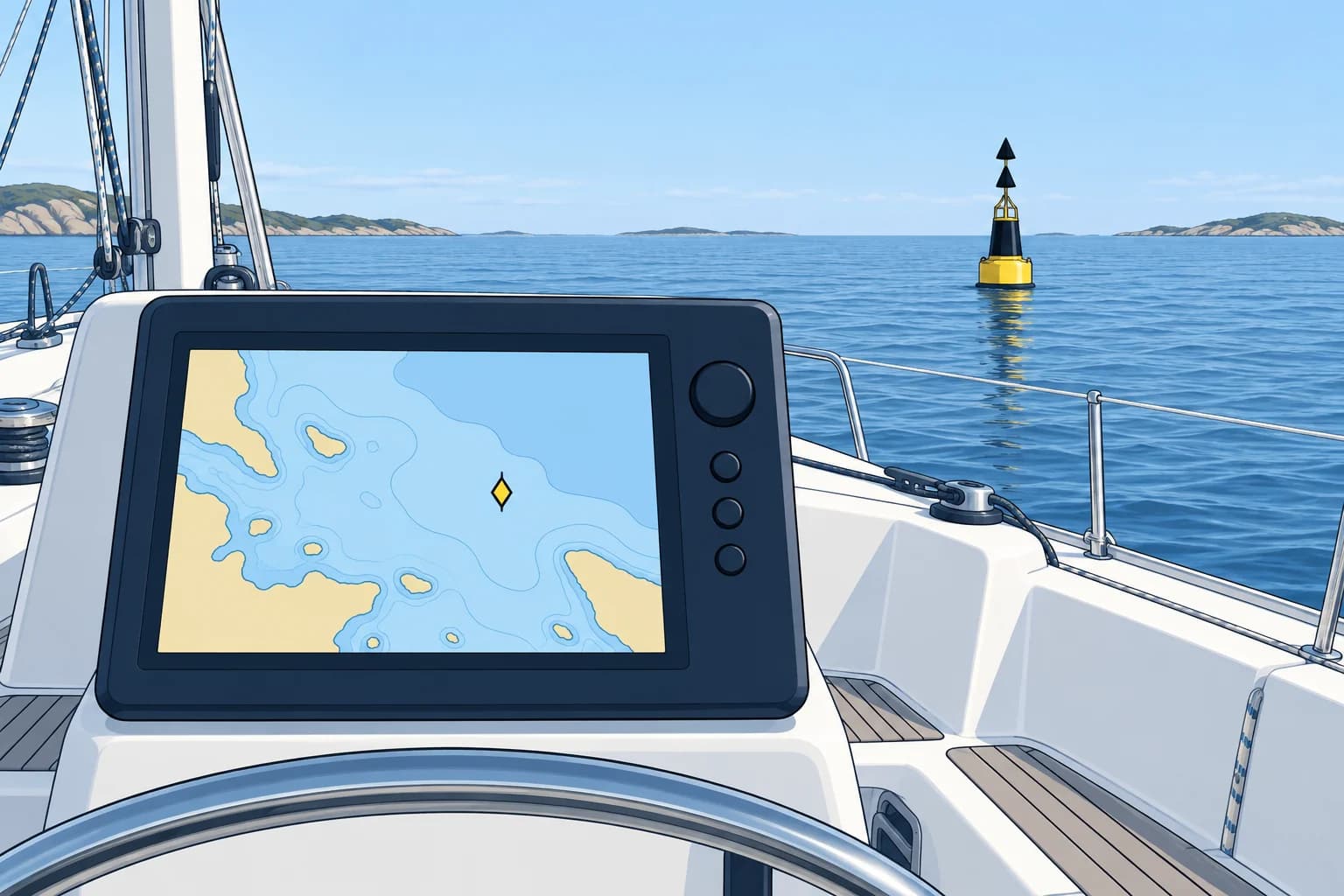
An AIS AtoN (aid to navigation) uses AIS (Automatic Identification System), the VHF system ships use, to broadcast information about a mark: its name, type, position and status. It sends this as Message 21, the aid-to-navigation report, normally every 3 minutes. AIS itself, its classes and its limits, is in the Electronic navigation unit.
Three kinds
A physical (real) AIS AtoN is a transmitter fitted on the mark itself. A synthetic AIS AtoN is transmitted from another station for a real mark. Monitored synthetic reports use monitored information about that mark; predicted synthetic reports use its expected position and status without monitoring. A virtual AIS AtoN is broadcast for a mark that does not physically exist.
What it tells you
Message 21 carries the mark’s MMSI (Maritime Mobile Service Identity), its nine-digit AIS identity beginning 99; its name, type, position and size. For a floating mark it includes an off-position flag, warning that the buoy is not at its assigned position. A virtual flag says whether the mark is virtual.
On the screen
On ECDIS, the ship’s official electronic chart system, and on radar, IMO symbols show an AIS AtoN as a diamond centred on its reported position. Physical and synthetic AtoN have a solid outline; a virtual AtoN has a dashed one. Leisure plotters and apps vary: some use the same symbols, some show only a label. Learn how yours draws them.
A cross-check
A physical AIS AtoN reporting off-position, or a buoy you see in a different place from its AIS symbol, tells you something is wrong. Report it to the coastguard or the buoyage authority. But AIS can fail or be faked, so an AIS symbol never replaces the mark itself, the chart and a good lookout.
Key figures
- Message 21
- AIS aid-to-navigation report, normally every 3 minutes
- Physical
- Transmitter on the mark itself
- Synthetic
- Sent from another station for a real mark
- Virtual
- Sent for a mark that does not physically exist
- ECDIS symbol
- Diamond; dashed outline when virtual
- MMSI pattern
- Nine-digit identity beginning 99; check the virtual flag.
Remember
- AIS AtoN send Message 21: the name, type, position and status of a mark.
- Physical: on the mark. Synthetic: remote report for a real mark. Virtual: no physical mark.
- On ECDIS an AIS AtoN is a diamond; dashed when virtual.
- An off-position flag warns that a floating mark has moved.
Common mistakes
Wrong: A synthetic AIS AtoN is the same as a virtual one.
Right: A synthetic AtoN stands for a real mark; a virtual one has no mark in the water.
Wrong: An AIS AtoN symbol proves the buoy is there.
Right: A physical AIS transmitter is on the mark. A monitored synthetic report comes from another station using monitored information. AIS data alone does not prove the buoy is there. Cross-check the actual mark by eye or radar.
Worked case
Your plotter shows a cardinal buoy’s physical AIS symbol 0.3 nautical miles (NM) east of its charted position, with an off-position flag. Your visual observations agree with the reported position. What has probably happened, and what do you do?
Show the answer
The buoy has probably dragged. Find the danger it marks on the chart; the buoy’s charted position is not necessarily the hazard’s position. Keep clear of both the charted danger and the displaced buoy. Use independent position checks, and report the discrepancy to the coastguard or buoyage authority.
Practice question
Which AIS message is the aid-to-navigation report?
- Message 1
- Message 5
- Message 18
- Message 21
Show the answer
Answer: D. Message 21 is the AIS aid-to-navigation report.
3 · Virtual marks
Virtual marks: uses and limits
A virtual mark can warn of a new wreck within hours. It exists only as data, so treat it as real but never rely on it alone.
Why they exist
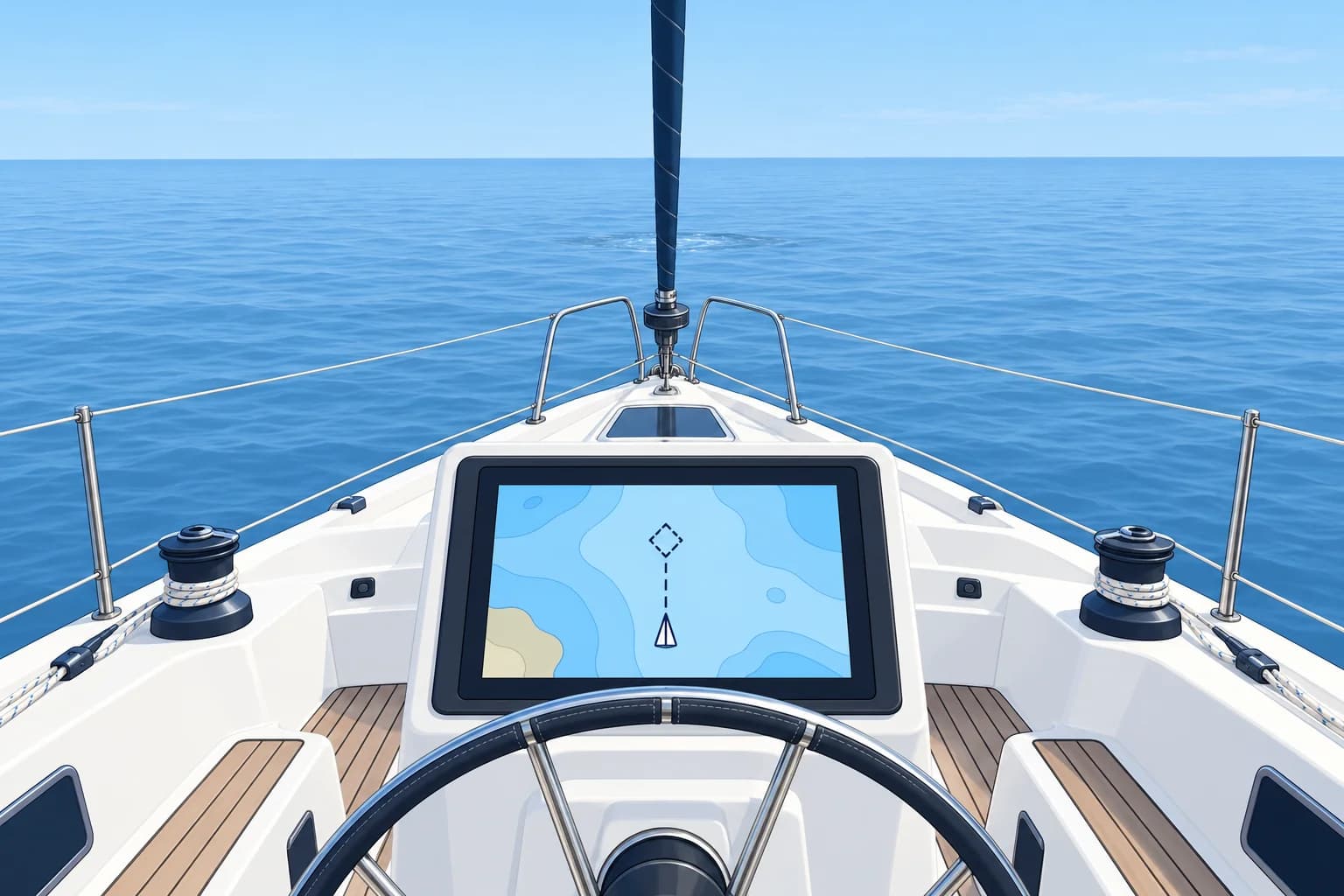
A virtual aid to navigation is a digital mark broadcast by an authorised body, with nothing in the water. IALA guideline G1081 covers its use. It can be set up in hours, where laying a buoy can take days, and it works where buoys are hard to lay or keep: deep water, ice, or places too rough to service.
Typical uses
Authorities use virtual marks for a new danger, such as a fresh wreck, until buoys arrive; in place of a buoy that has broken adrift; and for temporary areas, routes or exercises. IALA’s buoyage system allows virtual lateral, cardinal, isolated danger, safe water, special and wreck marks; the symbol and data show which type.
Who sees them
A virtual mark produces no radar echo and cannot be seen by eye. Compatible chart and radar displays can show its AIS symbol. Without AIS reception and an AtoN-capable display, you will not see that symbol. New dangers are also published in navigational warnings and Notices to Mariners, although an urgent warning may not yet be available aboard.
Spoofing and errors
AIS does not verify who sent a message, so false marks can appear on your display. A virtual mark may also be left on after the danger has gone, or vanish when the shore station fails. Check every virtual mark against warnings and notices, and never use one alone to clear a danger.
Using one well
Treat a confirmed virtual mark as you would a real mark of the same type: a virtual west cardinal means pass to the west. Combine it with the chart, the depth, radar and your position. If a virtual mark appears with no warning to back it, keep clear anyway and report it.
Key figures
- Guidance
- IALA G1081, virtual aids to navigation
- Seen by
- AIS-capable display; no physical mark or radar echo
- Typical use
- New dangers until physical marks are laid
- Weakness
- No authentication; can be spoofed or left on in error
When a virtual mark appears on your plotter
- Keep clear while you assess the mark, checking traffic and charted water. — Do not approach a possible danger while searching for information.
- Identify the mark’s type from its symbol and AIS data. — Its type tells you how to interpret the mark.
- Check navigational warnings and Notices to Mariners. — Look for official confirmation; an urgent warning may not yet be available aboard.
- Locate the mark on your chart, with any reported danger limits; plan a safe clearance. — The mark’s position need not be the danger’s position. Allow for danger limits that are still uncertain.
- Choose a safe route using the mark’s meaning, chart and official warnings; cross-check position and depths. — Not every mark indicates a passing side. Soundings (depth measurements) check beneath you, not the water ahead.
- Report an unexplained or conflicting mark to the coastguard. — It may be a new danger, an error or a false signal.
Remember
- A virtual mark exists only as AIS data from an authorised body.
- It is quick to set up, so it often marks a new wreck first.
- No physical mark or radar echo; compatible displays show its AIS symbol.
- Check it against warnings; never rely on a virtual mark alone.
Common mistakes
Wrong: A virtual mark matters less than a real buoy.
Right: Treat a confirmed virtual mark like a real mark of its type. Its meaning applies even with no buoy present.
Wrong: If it is on the plotter, it must be genuine.
Right: AIS can be spoofed or out of date. Check navigational warnings and notices.
Worked case
Crossing a busy strait, your plotter shows a virtual emergency wreck mark 1 NM ahead on your track. The chart shows nothing there. What do you do?
Show the answer
Treat it as real: a new wreck may lie there. Alter course early to pass well clear. Check NAVTEX broadcasts or the latest navigational warnings for a matching wreck report, and look out for physical marks. If no warning supports the virtual mark, still keep clear, and report it to the coastguard.
Practice question
Why is a virtual mark often the first mark on a new wreck?
- It can be set up within hours
- It is brighter than any buoy
- It is required by COLREG Rule 5
- It replaces the need for notices
Show the answer
Answer: A. A virtual mark needs no vessel to lay it, so an authority can broadcast it within hours.
4 · e-Navigation
e-Navigation, S-100 and the new IALA
Aids to navigation are going digital. e-Navigation links ship and shore data, S-100 standards carry it, and IALA became an intergovernmental organisation in 2024.
e-Navigation
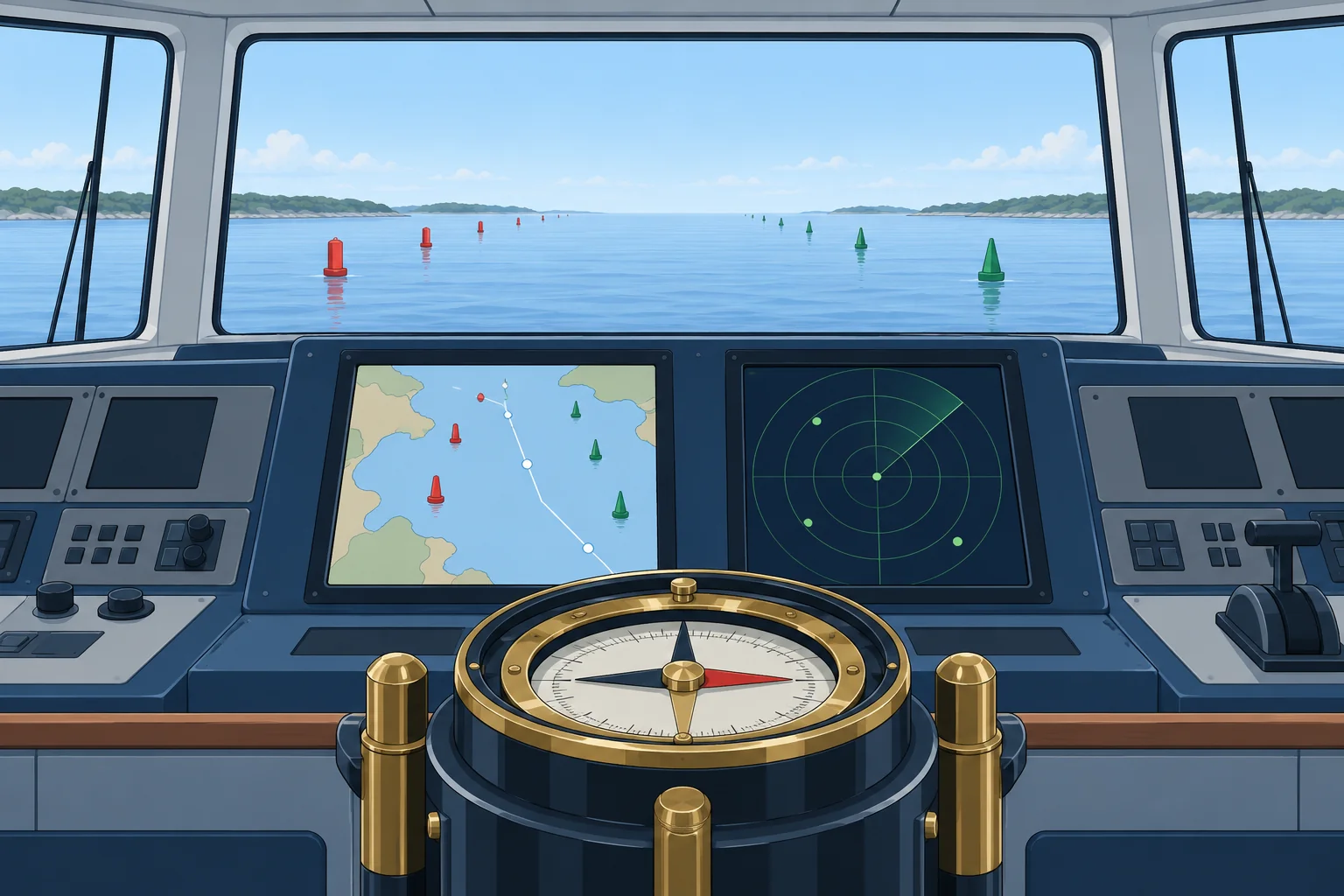
e-Navigation is the International Maritime Organization’s (IMO’s) approach to sharing and displaying navigation information electronically on ships and ashore. Common formats help you use information about marks, warnings, tides and traffic throughout a voyage.
S-100
S-100 is the International Hydrographic Organization’s (IHO’s) framework for marine data. A product specification defines one type of data. S-101 covers electronic navigational charts (ENCs). ECDIS means electronic chart display and information system. For new IMO-compliant ECDIS installations, S-100-capable standards are optional from 1 January 2026 and required from 1 January 2029. These dates do not require you to replace an existing ECDIS or leisure plotter.
AtoN specifications
S-201, in IALA’s S-200 series, supports aids-to-navigation data exchange between providers. S-125, a separate S-100 product specification, covers marine aids-to-navigation information for mariners, including status updates. Receiving those updates needs a supporting service and compatible equipment.
IALA becomes an IGO
On 22 August 2024 IALA changed from an association of lighthouse authorities into an intergovernmental organisation (IGO), under a convention ratified by 30 states. Its new name is the International Organization for Marine Aids to Navigation, and it kept the initials IALA. Its first General Assembly met in Singapore in February 2025.
What it means at sea
Digital marks add information but bring new risks: data can be wrong, late, spoofed or missing. Physical marks, lights and the official chart stay the base layer. If satellite positioning or a live data feed is unreliable, cross-check with radar observations, charted features and the magnetic compass, independently of that source.
Key figures
- e-Navigation
- IMO approach to sharing electronic navigation information
- S-100 ECDIS standards
- New installations: optional 1 Jan 2026; required 1 Jan 2029
- S-201
- Aids-to-navigation data exchange between authorities (IALA)
- S-125
- Marine aids-to-navigation information and status for mariners
- IALA’s status
- Intergovernmental organisation since 22 August 2024
- New name
- International Organization for Marine Aids to Navigation
Remember
- e-Navigation is IMO’s approach to sharing electronic navigation information.
- S-100 is the IHO data framework; S-101 is the new ENC.
- S-201 exchanges AtoN data between providers; S-125 supplies AtoN information and status for mariners.
- IALA became an intergovernmental organisation on 22 August 2024.
Common mistakes
Wrong: S-101 is a type of AIS aid to navigation.
Right: S-101 defines electronic navigational charts. S-201 exchanges AtoN data between providers; S-125 covers AtoN information for mariners. Both use S-100.
Wrong: Digital marks will soon replace buoys and lights.
Right: Physical marks and lights remain the base layer; digital data adds to them.
Wrong: IALA is still a private association of lighthouse services.
Right: Since 22 August 2024 it is an intergovernmental organisation, keeping the IALA initials.
Worked case
A live AtoN feed says a channel buoy is on station, but its light and radar echo disagree with its charted position. Your crew wants to follow the digital display. How do you decide?
Show the answer
Keep a safe margin in charted water. Check your position independently, then compare the chart, visible mark and radar echo. Allow for stale or faulty digital status. Resolve the discrepancy before committing to the channel, and report it to the relevant authority. COLREG Rule 5 still requires a proper lookout by sight and hearing.
Practice question
An existing ECDIS meets the earlier standards. Does the 2029 installation date alone require its replacement?
- No; it applies to new installations
- Yes; every existing set must change
- Yes; S-101 was compulsory from 2026
- No; it applies only to leisure plotters
Show the answer
Answer: A. The revised standards apply to installations from 1 January 2029. That date alone does not require replacement of existing compliant equipment.