

Resolution, run times and forecast range
1The lesson in plain words
A model's grid spacing is not the size of what it can forecast. Know which run you have, how old it is and how far ahead it can be trusted.
Grid spacing
Grid spacing is the distance between model points. Effective resolution describes the smallest scales represented usefully, often about four to seven times that spacing. For a 9 km grid, think roughly 40–60 km, not individual headlands or narrow straits. This is an approximate scale, not a guarantee of forecast accuracy.
Interpolation
Your app often interpolates, drawing smooth colours and arrows between the points, and may show a value for your exact position. That smoothness is drawing, not detail. Choosing a finer display than the model's grid adds nothing.
Runs and their age
Each model run is a new forecast based on observations for a stated starting time. Run times use UTC (Coordinated Universal Time). T+12 means 12 hours after that start; it is a duration, not a clock time. Add it to the run time to find the valid time. Data arrive hours later, so check the run date and time. Apps may display UTC or local time: check the setting and use the newest available run.
How far ahead
Forecast skill drops with time. The first one to three days are usually useful for planning a passage; beyond about five days, use trends, not details.
Run-to-run
Compare the latest run with the one before. Consistent runs give more confidence; a forecast that flips from run to run is uncertain, however detailed it looks.
2Key data
- Effective resolution
- Often about 4–7 × the grid spacing
- Forecast times
- T+ = hours after run start; check valid time and time zone
- Run times
- Usually 00, 06, 12 and 18 UTC; data arrive hours later
- Useful range
- Details 1–3 days; beyond about 5 days, trends only
3Key points
- 1
Effective resolution is several times the grid spacing; small features are missed.
- 2
Smooth app graphics are interpolation, not extra detail.
- 3
Check run date, valid time and the app’s time zone; use the latest run.
- 4
Compare successive runs: consistency supports confidence, but runs can share errors.
4Frequent mistakes
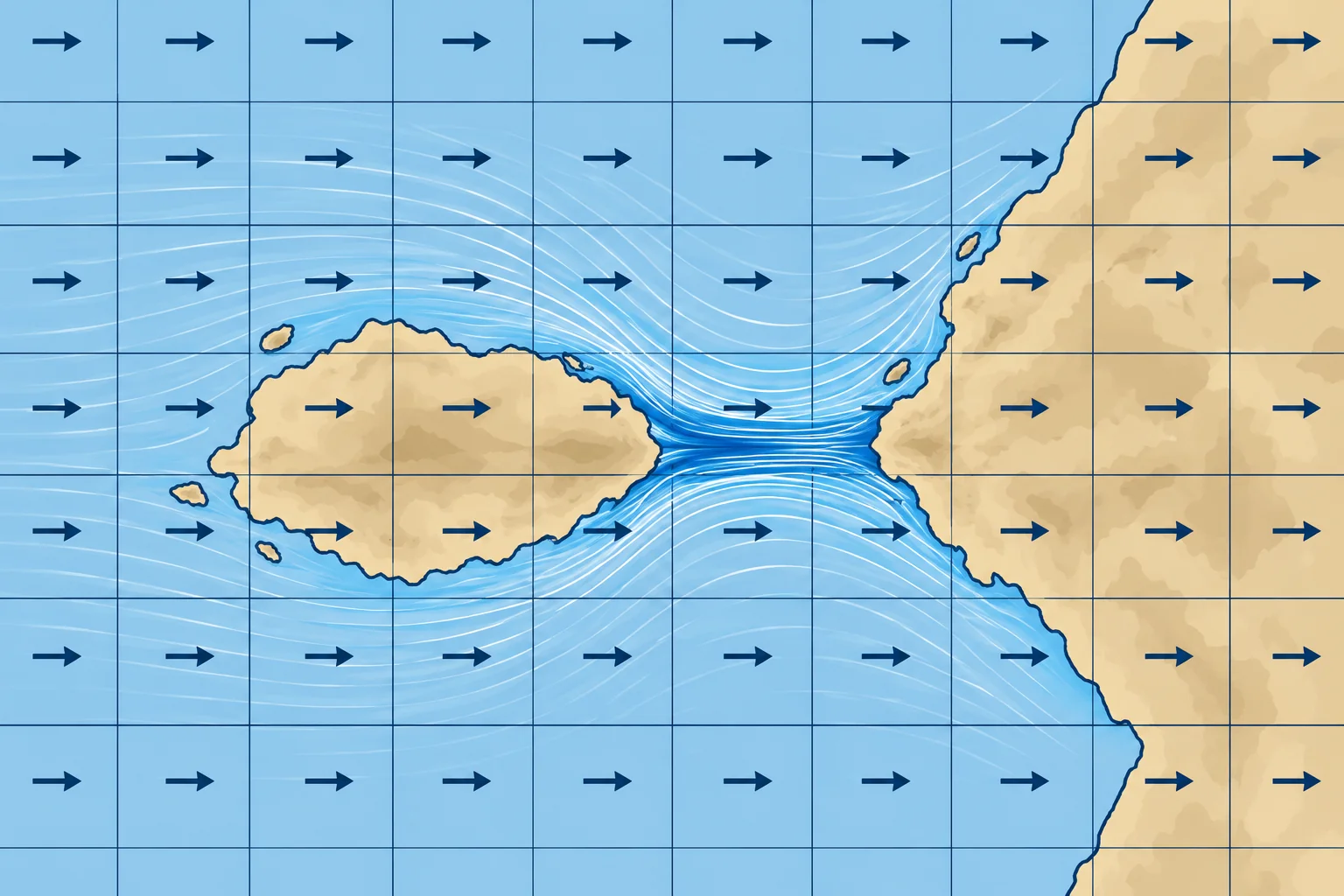
Wrong: A 9 km model forecasts the wind in a 2 km strait.
Right: Features need several grid points. The strait's funnelling is far below its effective resolution.
Wrong: The file I downloaded today is today's forecast.
Right: It may be an older run. Check the run date, valid time and the app’s time zone.
5Practice case & exam keys
At 0900 local time (UTC+2) on Tuesday 14 July 2026, you open a GRIB downloaded at 0730. Its run is dated Monday 13 July, 18 UTC. The displayed step is T+12. When is it valid, and how do you check whether it is the newest run?
Show the answer
T+12 is Tuesday 14 July at 0600 UTC, or 0800 local: one hour ago. The download time does not establish freshness. Check the provider’s available run dates and times, allowing for publication delay. Obtain the newest available run, confirm it covers your passage times and compare forecasts for the same valid time.
Exam keys
- Grid spacing vs effective resolution (often 4–7 × spacing).
- Interpolated graphics add no detail.
- Run time, T+ steps, UTC; data arrive hours after the run time.
- Skill drops with range; compare successive runs.
Finish this unit
When you've read it, match the terms, then answer three questions. Get them all right to finish the unit; opening the page alone doesn't count.
My notes for this unit
No notes