
Navigation · Level P3 · 6 parts · about 20 min
ECDIS basics: ENCs (S-57 and the new S-101), safety settings and alarms
6 short parts: What ECDIS is · ENC data · Safety settings · Alarms · Route checking · Training & lessons. Each part explains the idea, then gives the points to remember, the common mistakes, a worked case and a practice question; the Academy unit adds all 36 check questions.
1 · What ECDIS is
What ECDIS is: carriage, performance standards and backup
ECDIS is a type-approved chart system. With official, up-to-date ENCs and an independent backup, it replaces paper charts under SOLAS.
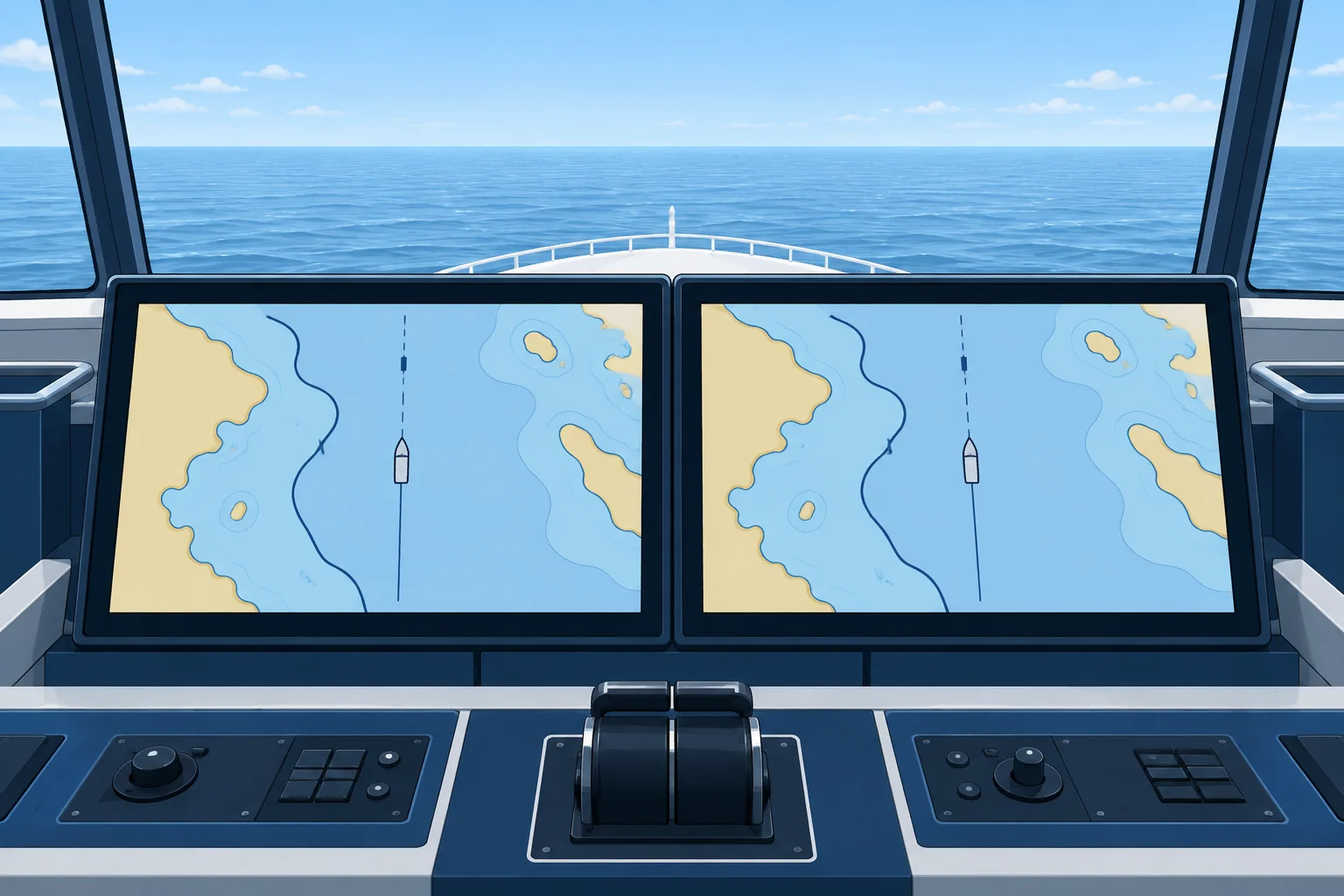
More than a plotter
ECDIS, the electronic chart display and information system, shows official charts with your position from the ship's sensors. It plans and checks routes, monitors the ship against them and gives alerts. SOLAS regulation V/18 requires it to be type-approved: tested against IMO performance standards. A chart plotter, however good, is not an ECDIS.
When it counts as charts
SOLAS V/19 accepts ECDIS as meeting the chart carriage requirement when it uses up-to-date official ENCs (electronic navigational charts) and has adequate, independent backup arrangements. Its carriage was phased in from 2012 to 2018 for ships on international voyages: passenger ships of 500 gross tonnage (GT, a measure of enclosed volume) and upwards, tankers of 3,000 GT and upwards, new cargo ships of 3,000 GT and upwards and existing cargo ships of 10,000 GT and upwards.
Three standards
Units installed from 1996 to 2008 meet resolution A.817(19); those installed from 2009 meet MSC.232(82). The revised standard, MSC.530(106), adopted in November 2022 and revised in 2024 for route exchange, adds S-100 data. From 1 January 2026 a new installation may meet either standard. From 1 January 2029 every new installation, including a retrofit, must meet MSC.530(106). Existing units need not be replaced.
Check type approval
The UK Hydrographic Office's late-2025 estimate put type-approved S-100 ECDIS around 2028; that forecast does not establish current availability. Before installation, check the type-approval certificate for the actual hardware and software configuration against the required IMO standard and your flag's rules. "S-100 ready" alone is not approval.
Raster mode
Where no ENC exists, some ECDIS can show official raster charts (RNCs), scanned images of paper charts. This is raster chart display system (RCDS) mode. A raster chart has no depth data the system can read, so it cannot draw your safety contour or alarm for it. Use RCDS mode only with an appropriate portfolio of up-to-date paper charts.
Backup
The backup must let you take over safely if ECDIS fails and finish the voyage safely. It is usually a second ECDIS with separate power and a connection to the ship's positioning system, or an appropriate folio of up-to-date paper charts. Keep it updated. Assess shared-sensor failures. IMO recommends a second independent positioning source whenever possible; a separate global navigation satellite system (GNSS) receiver for each ECDIS is not a universal requirement.
Key figures
- Type approval
- SOLAS V/18
- Chart carriage
- SOLAS V/19: official, up-to-date ENCs plus independent backup
- Installed from 2009
- MSC.232(82)
- 1 Jan 2026 – 31 Dec 2028
- New installs: MSC.232(82) or MSC.530(106)
- From 1 Jan 2029
- New installs and retrofits: MSC.530(106), S-100 capable
Remember
- ECDIS is type-approved (SOLAS V/18) and meets chart carriage only with official, up-to-date ENCs and a backup.
- From 1 January 2029 every new ECDIS installation must meet MSC.530(106) and handle S-100 data.
- In RCDS mode with raster charts there is no safety contour alarm. Use paper charts alongside.
- The backup must allow a safe takeover and a safe finish to the voyage, and be kept up to date.
Common mistakes
Wrong: From 2026 every ship must replace its ECDIS with an S-100 unit.
Right: Existing units may stay. From 1 January 2029, new installations and retrofits must meet MSC.530(106).
Wrong: A raster chart in ECDIS gives the same protection as an ENC.
Right: Raster charts carry no depth data the system can read, so there are no safety contour alarms. Use paper charts alongside.
Wrong: The backup ECDIS can be updated when it is needed.
Right: The backup must be kept as up to date as the main system, so it can take over at any moment.
Worked case
Your ship's single ECDIS is the primary means of navigation. A second, identical unit is on the same power supply and takes position from the same GNSS receiver. The superintendent calls this a full backup. Do you agree?
Show the answer
Not as described: a shared power failure can remove both displays. Check that the flag-approved backup has separate power, current charts and safe takeover arrangements. Assess shared-sensor failures too. IMO recommends a second independent position source whenever possible; a separate GNSS receiver for each ECDIS is not a universal requirement.
Practice question
What makes an ECDIS acceptable as the ship's charts under SOLAS V/19?
- Any type-approved system showing the latest raster charts only
- Official, up-to-date ENCs and adequate independent backup
- A chart plotter with a GNSS input and the latest software update
- A copy of the charts on a laptop kept ready in the master's cabin
Show the answer
Answer: B. ECDIS meets the carriage requirement when it uses official ENCs kept up to date and has adequate, independent backup arrangements.
2 · ENC data
ENCs: S-57, S-101, cells, updates and permits
An ENC is a database, not a picture. Know which cells you have, whether they are up to date and licensed, and what changes as S-101 arrives.
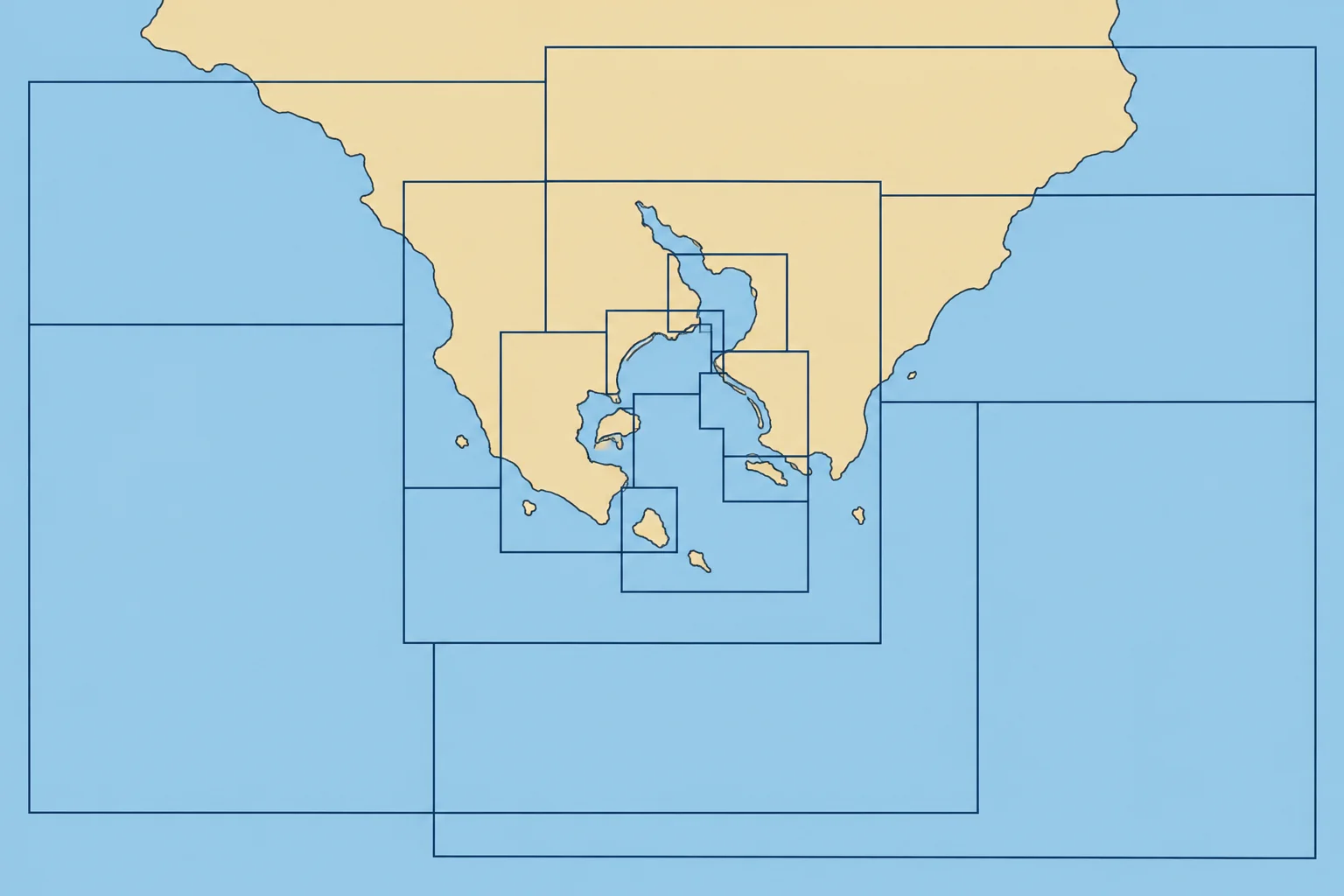
ENC or RNC
An ENC is vector data: chart features, such as lights, buoys and depth areas, are stored as objects with details such as depth or light colour. ECDIS can read these details to highlight a safety contour, answer a cursor query and alert you to dangers. An RNC is a scanned image of a paper chart.
Cells and bands
ENCs come in cells, each covering a defined geographic area. An S-57 cell name has eight characters: the producer code, a usage band digit and five more, for example GB401892. Bands describe intended use: 1 overview, 2 general, 3 coastal, 4 approach, 5 harbour, 6 berthing. Check the actual scale and use the largest-scale ENC available for the area. Many ECDIS load the best cell automatically if auto-load is on; verify the loaded cell.
Updates
An ENC is kept current by update files applied in sequence, and replaced by a new edition when the producer reissues it. Most services issue updates weekly. SOLAS V/27 requires charts to be adequate and up to date, so check the update status of every cell on the route before sailing. Temporary and preliminary notices and navigational warnings may still need checking separately, depending on the service.
Permits
Most ENCs are encrypted under the IHO S-63 scheme. A cell permit unlocks each cell for a licence period. When it expires, the data may still display, but it no longer receives updates and the system warns you. Order cells for the whole voyage, contingencies included, in good time. The ECDIS software must also stay current with IHO display standards.
S-101
S-101 is the new ENC standard in the IHO S-100 framework. It looks much like S-57 but encodes more clearly and replaces usage bands with display scales. Other S-100 layers can follow: S-102 detailed bathymetry, S-104 water levels and S-111 surface currents. S-101 cover will start in selected areas. S-57 has no planned end date, so S-100 ECDIS will use both, the dual-fuel period.
Key figures
- S-57 usage bands
- 1 overview, 2 general, 3 coastal, 4 approach, 5 harbour, 6 berthing
- Data protection
- IHO S-63: encrypted cells, cell permits
- Up to date
- SOLAS V/27: charts adequate and up to date
- S-100 layers
- S-101 ENC, S-102 bathymetry, S-104 water level, S-111 currents
- S-57 withdrawal
- No planned date; used alongside S-101 (dual fuel)
Remember
- An ENC is vector data the system can read; an RNC is only a picture.
- Use the largest-scale ENC available; its band describes intended use. Verify the loaded cell even with auto-load on.
- Check updates and permits for every cell on the route before sailing.
- S-101 joins S-57 in a dual-fuel period. S-57 has no planned end date.
Common mistakes
Wrong: If a cell displays, it must be up to date.
Right: An expired permit or a missed update still displays. Check the update status of each cell on the route.
Wrong: S-57 ENCs stop working when S-101 arrives.
Right: There is no planned end date for S-57. S-100 ECDIS will use S-57 and S-101 side by side.
Worked case
Planning a passage, you find the approach cell for your arrival port shows an update status two weeks behind and its permit expires the day before arrival. The rest of the route is current. What do you do?
Show the answer
Apply the missing updates and renew the permit before departure. Check that all route cells remain licensed and current for the voyage, and check current navigational warnings. If coverage cannot be obtained, tell the master before sailing. Use paper charts only within an arrangement accepted by the flag State that meets the ship's carriage and backup requirements; otherwise revise the plan before sailing. One corrected paper chart is not automatically enough.
Practice question
Why can ECDIS select and highlight a safety contour on an ENC but not on an RNC?
- ENCs are always more recent than raster charts
- The ENC holds depths as data the system can read
- Raster charts are not official hydrographic charts
- RNCs show depths only in fathoms, not in metres
Show the answer
Answer: B. An ENC holds contours and soundings as objects. A raster chart is an image, so the system cannot read its depths.
3 · Safety settings
Safety contour, safety depth and the display categories
Your safety contour divides safe from unsafe water on the screen and drives an advance alarm. Calculate the depth; verify the setting for this passage.
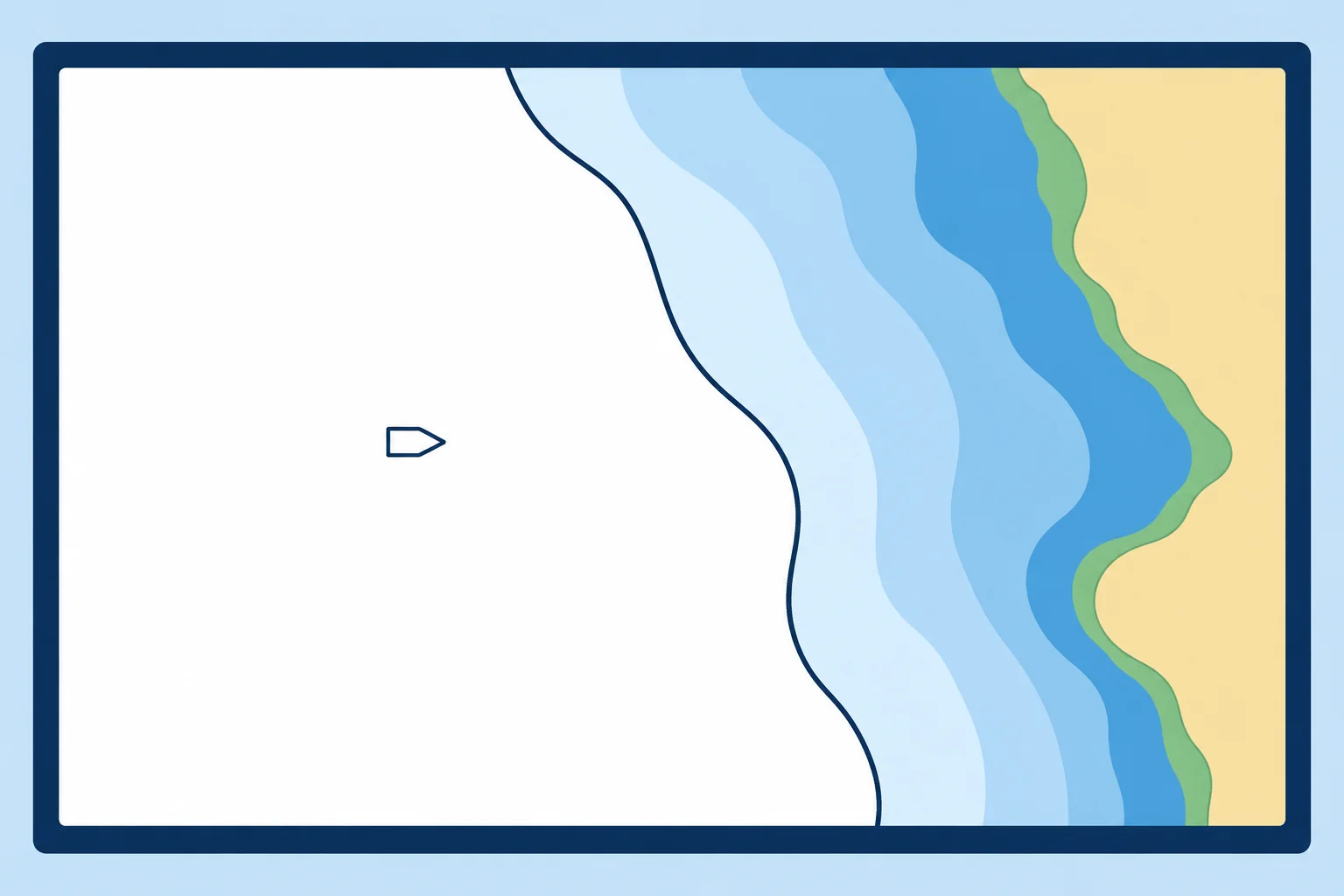
Four depth settings
The safety contour is the depth line separating safe from unsafe water for your ship. It is drawn bold. With monitoring active, ECDIS alarms in advance when your predicted movement breaches the set clearance from it. The safety depth makes displayed spot soundings equal to or shallower than it stand out in bold. The shallow contour and deep contour only change colour shading; they give no alarm. In four-shade mode shallower water is darker blue; two-shade mode shows only safe and unsafe.
Working it out
Start with draught + squat (extra sinkage while moving) + required under-keel clearance (UKC, the margin below your keel). Include necessary allowances for heel and swell. This worked example makes no allowance for tide. Set the safety depth on the same basis.
Next deeper contour
You can type any value, but the ENC only holds certain contours, such as 5, 10, 20 and 30 m. ECDIS uses the selected contour if it exists in the ENC; otherwise it uses the next deeper contour. If you set nothing, the safety contour defaults to 30 m, and the system shows an indication that the default is in use. A safety contour of 11 m with only 10 and 20 m contours charted appears as 20 m.
Worked example
Draught 9.2 m, squat 0.8 m, required under-keel clearance 1.0 m: 9.2 + 0.8 + 1.0 = 11.0 m. Set safety contour and safety depth to 11.0 m. The chart holds 10 and 20 m contours, so ECDIS draws 20 m. Displayed soundings of 11 m or less stand out. The 20 m contour is conservative. Assess clearance across the full route corridor; isolated soundings do not prove it is safe inside that contour.
Display categories
Display base cannot be removed, but is insufficient for safe navigation. It includes coastline, your safety contour and isolated dangers in safe water. Standard display is the normal minimum for planning and monitoring; it adds aids to navigation, the drying line, fairways, restricted areas and routeing measures. All other adds spot soundings, cables, pipelines and more. Select soundings to see safety-depth emphasis. Inspect doubtful areas in All other.
Key figures
- Safety contour
- Bold line; advance alarm at the selected clearance
- Default if not set
- 30 m safety contour, with an indication
- Value not in the ENC
- Next deeper contour available is used
- Safety depth
- Soundings equal to or shallower than the safety depth are bold
- Shallow and deep contours
- Colour shading only, no alarm
- Worked example
- 9.2 draught + 0.8 squat + 1.0 UKC = 11.0 m
Remember
- Safety contour = draught + squat + required UKC, with allowances; set it every voyage.
- ECDIS uses the selected contour if available; otherwise the next deeper one. The unset default is 30 m.
- Safety depth highlights shallow soundings; shallow and deep contours only shade colours.
- Display base cannot be removed. Check doubtful areas in All other mode.
Common mistakes
Wrong: The safety contour appears exactly at the depth you type.
Right: It uses the selected contour if available; otherwise the next deeper charted contour. 11 m with 10 and 20 m contours shows as 20 m.
Wrong: The default 30 m safety contour is the safest choice.
Right: Calculate the required depth and check the available ENC contours. A displayed 30 m contour may be appropriate; verify it for this passage.
Wrong: Crossing the shallow contour gives an alarm.
Right: Shallow and deep contours only change colours. The alarm is tied to the safety contour.
Worked case
Your draught is 12 m, squat 1 m and required UKC 2 m. The ENC has only 10 m and 20 m contours. ECDIS highlights 20 m. A colleague suggests entering 10 m to avoid alarms. What do you do?
Show the answer
Keep the calculated setting at 15 m; ECDIS correctly selects the next deeper contour, 20 m. Keep safety depth at 15 m. Entering 10 m would put the contour below your required clearance. Do not use a few soundings as proof of safe passage inside 20 m; resolve any affected route sections before approval.
Practice question
You set the safety contour to 12 m. The ENC holds 10 m and 20 m contours. Which line does ECDIS draw as the safety contour?
- The 10 m contour
- A new 12 m line
- The 20 m contour
- No line at all
Show the answer
Answer: C. ECDIS uses the next deeper contour available in the data, here 20 m.
4 · Alarms
Alarms, warnings and indications, and how to manage them
ECDIS alerts warn you about navigational risks. Know what each needs from you, and keep audible alerts enabled.
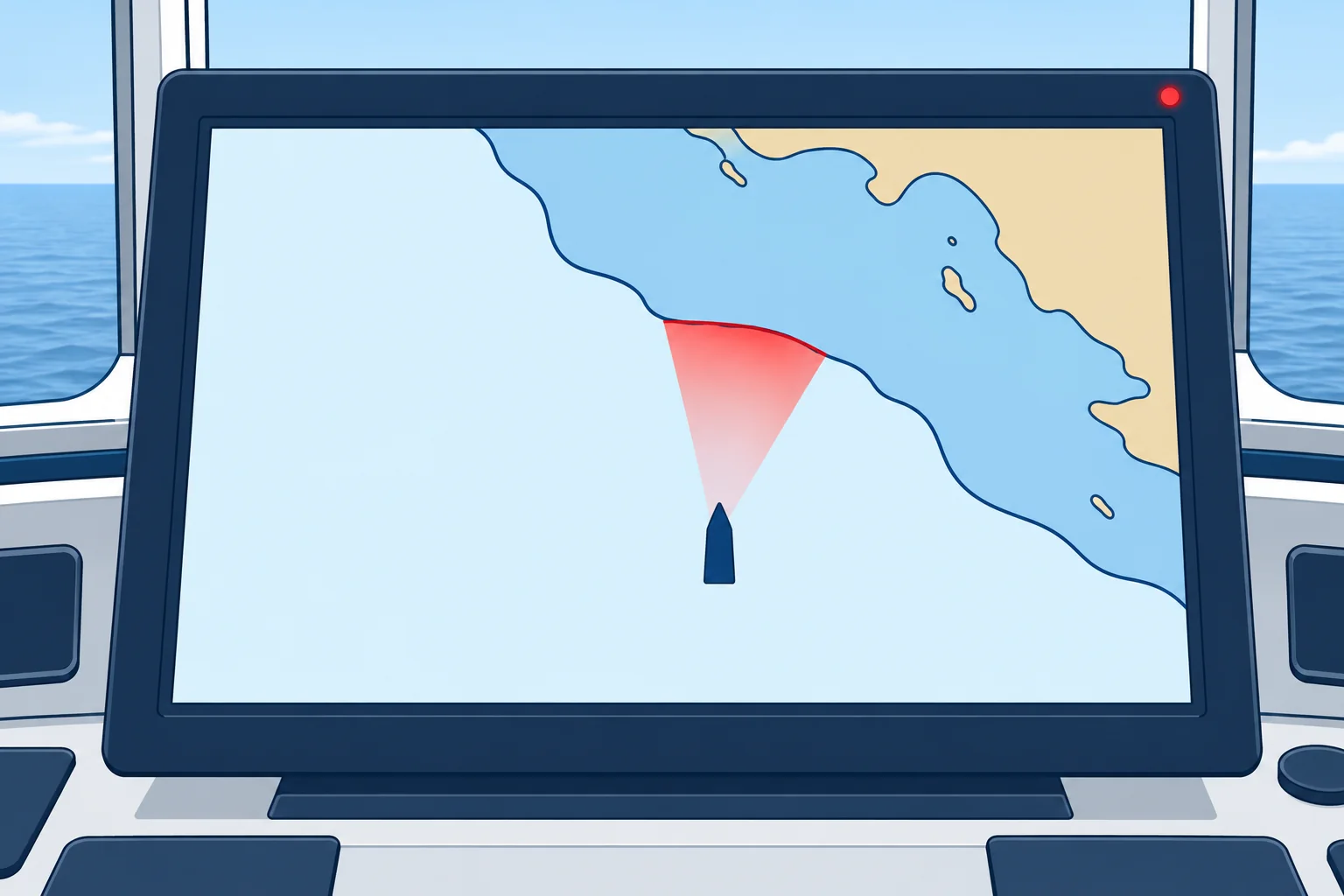
Alert priorities
Since IMO's bridge alert management (BAM) standard, MSC.302(87), alerts have priorities. An alarm needs immediate attention and action. A warning needs immediate attention for precautionary reasons, but not immediate action; it may escalate if unacknowledged. A caution is for awareness. An indication is only visual information about the system. Older units use just alarms and indications.
The alarms
Under MSC.530(106), two conditions are alarms: passing closer than a set distance from the safety contour, and deviation from route beyond the cross-track limit. Warnings include positioning system failure, approach to a critical point and a mismatch between the chart's and position source's geodetic datum—the reference model used for coordinates. A malfunction produces a warning or indication. Passing close to an area with special conditions, such as a traffic separation scheme or restricted area, raises a warning, caution or indication.
Indications
Indications include overscale, a larger-scale ENC available, information not shown because of scale, the default safety contour in use, a different reference system, no ENC available and a customised display. Under MSC.232(82), several of the warnings above were alarms. Your unit's manual lists what it does.
Look-ahead
During route monitoring, ECDIS checks the water ahead of the ship, not just the planned track. This look-ahead, also called a guard zone or safety frame, is set by time or distance and width. Set it so you get warning in time to act at your speed and turning ability. A look-ahead switched off removes the safety contour protection while the ship is under way.
Managing them
Acknowledge an alert only when you understand it and know what you will do. Silencing the sound for a while is allowed; disabling it is not. Frequent alerts need investigation. Check your position and the danger first. Correct unsuitable settings only after verifying the required protection. Never lower a setting just to stop alarms. Report a fault in an alert, sound included, as a defect.
Key figures
- BAM standard
- MSC.302(87): alert priorities; indications are separate
- Alarm
- Close to safety contour; deviation from route
- Warning
- Position failure, critical point, datum; malfunction may indicate
- Indications
- Overscale, larger scale available, default contour, no ENC
- Look-ahead
- Checks the area ahead; set by time or distance and width
Remember
- ECDIS alerts use alarm, warning and caution priorities. Indications provide visual information.
- Safety contour and deviation from route are alarms under MSC.530(106).
- Set the look-ahead so you get warning early enough to act at your speed.
- Keep the audible alarm enabled. Investigate the danger first; correct settings only after verifying required protection.
Common mistakes
Wrong: Too many alarms? Turn the audible alarm off.
Right: Keep the sound enabled. Check your position and the danger first; correct settings only after verifying the required protection.
Wrong: Acknowledging an alarm deals with it.
Right: Acknowledging only confirms you have seen it. You still have to understand the cause and act.
Worked case
On a coastal passage the ECDIS sounds a safety contour alarm every few minutes, though the ship is on her planned track. The safety contour shows 30 m and your draught is 6 m. The OOW wants to silence the audible alarm permanently. What do you do?
Show the answer
Keep the audible alarm enabled. First verify your position, charted depths and required clearance; the planned track does not prove safety. Calculate the required depth and check available ENC contours: 30 m may be deliberately selected or the next deeper contour. Check look-ahead and cross-track limits. Change only demonstrably unsuitable settings, rerun the route check and record changes. Never lower a setting just to stop alarms.
Practice question
Under bridge alert management, which priority needs immediate attention and action?
- An ECDIS indication
- An ECDIS caution
- An ECDIS warning
- An ECDIS alarm
Show the answer
Answer: D. An alarm needs immediate attention and action. A warning needs immediate attention for precautionary reasons, but not immediate action; it may escalate if unacknowledged.
5 · Route checking
Route planning and route checking on ECDIS
The automatic route check and your visual check complement each other. Use both; neither guarantees that the route is safe.
Building the route
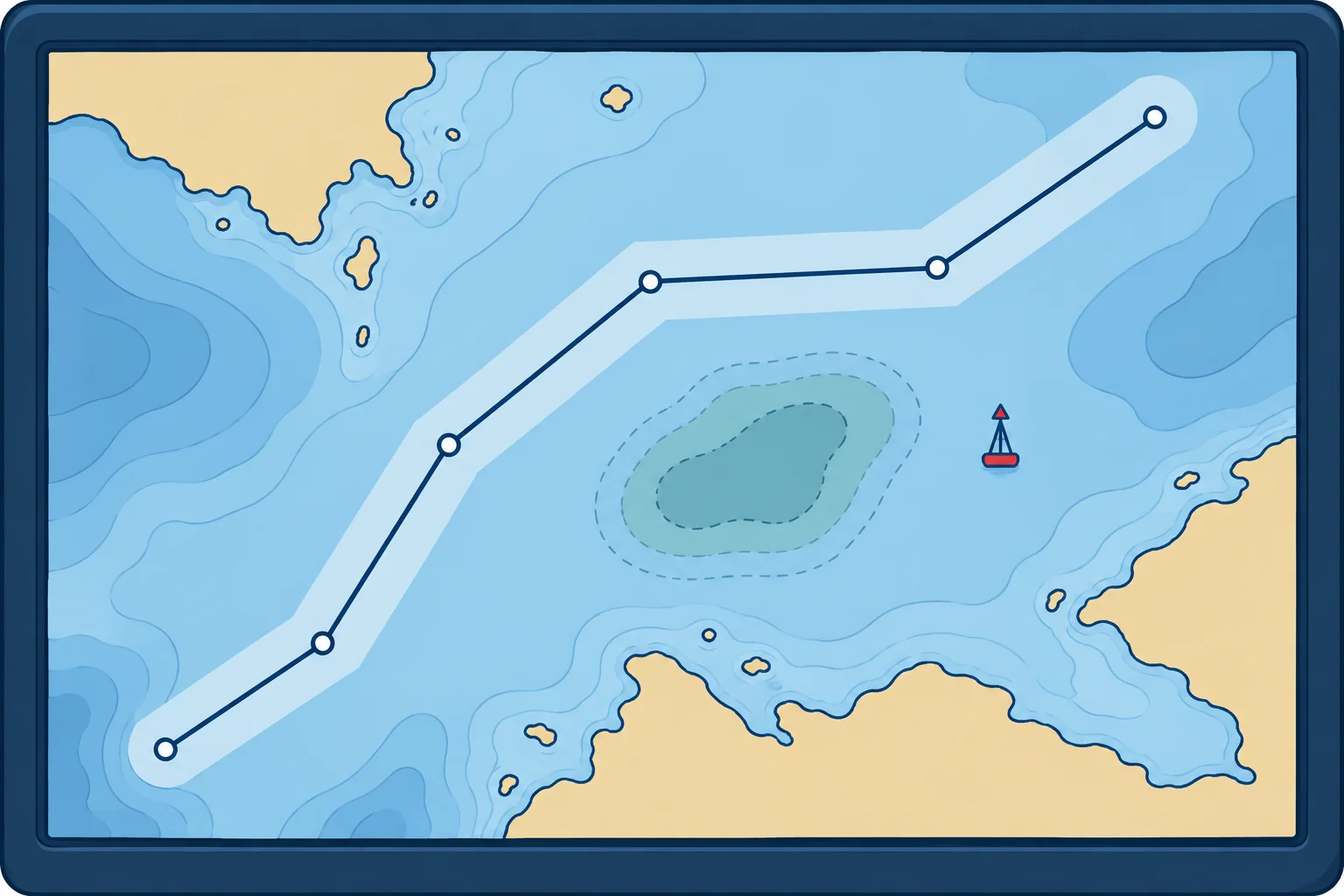
Enter waypoints from the passage plan. Set each leg's cross-track limit (XTL), the permitted distance on either side of the track. Check the whole corridor for dangers. Set a turn radius, the radius of the planned curved turn, that your ship can follow. Mark critical points, where you must act or make a navigation decision. Add planned speeds. Use suitable non-zero XTL values. A zero limit can cause repeated alerts; check the manual and verify that the deviation alert works.
Automatic route check
The route check tests the whole corridor against the safety contour, isolated dangers and selected areas. Resolve each result by changing the route or verifying safe passage and recording the reason and necessary controls. A note alone does not make a danger safe. A long list still needs review. Verify the settings, then review every result; never reduce required protection merely to shorten the list.
Visual check end to end
IMO's good-practice guidance, MSC.1/Circ.1503, warns that some ECDIS miss small land areas and some dangers on small-scale cells. After the automatic check, go along the whole route on the largest-scale ENC, in All other mode, and look. Use the cursor query on anything doubtful. Check light sectors and notes the same way.
Approval
The officer who built the route presents it. The master approves it before departure, and any change during the voyage is checked and approved again. Record the safety contour, safety depth, XTL and look-ahead used. A route changed in a hurry and not approved is a classic step towards grounding.
Monitoring
Under way, keep the route and look-ahead active and check that the position source is the one intended. Cross-check the position by radar ranges, bearings and visual marks. ECDIS shows where the sensors say you are, not where you are. Keep the display at a suitable scale, not overscale, with the best cell loaded.
Checking a route before approval
- Check and correct update status and permits for every cell along the route. — An out-of-date cell can hide a new danger or changed buoyage.
- Confirm safety contour, safety depth and XTL for planning; set look-ahead for monitoring. — Route checking examines the planned corridor; look-ahead checks ahead of the ship under way.
- Run the automatic route check on the whole route; rerun after changes. — It finds charted dangers and areas the system can detect in each corridor.
- Read and resolve every item on the result list. — Ignored warnings have led directly to groundings.
- Inspect the route end to end on the largest-scale ENC in All other mode. — Some dangers and small land areas are missed by the automatic check.
- Brief the plan and get the master's approval; repeat after any change. — An unapproved, hurried change is a common cause of groundings.
Remember
- Set a suitable non-zero cross-track limit for each leg and verify the deviation alert.
- Resolve every route-check result. Verify settings without reducing required protection to shorten the list.
- Finish with a visual check end to end on the largest-scale ENC in All other mode.
- The master approves the route, and approves it again after any change.
Common mistakes
Wrong: If the route check gives no alarm, the route is safe.
Right: Some dangers and small land areas are missed, especially on small-scale cells. Always add a visual check end to end.
Wrong: A visual check at overview scale is enough.
Right: Small-scale cells omit detail. Check on the largest-scale ENC available, in All other mode.
Wrong: A small change to the route at sea does not need approval.
Right: Any change is checked and approved again. Hurried, unapproved changes appear again and again in grounding reports.
Worked case
At 2300 the second officer revises the route to save time, cutting inside a charted bank. She checks it visually at a small scale and saves it. The route check shows several hundred warnings, which she dismisses as usual. The master is asleep. What should have happened?
Show the answer
Check the revised route and obtain approval before using it. Verify chart status and required safety settings without reducing protection to shorten the list. Resolve every route-check result, including all affected-leg warnings, and recheck the changed route. Inspect it on the largest-scale ENC in All other mode. Call the master for approval before using it. This resembles the failures before the Muros grounding in 2016.
Practice question
What does the cross-track limit (XTL) define?
- The look-ahead distance in front of the ship
- The safety contour used on each route leg
- The corridor either side of the planned track
- The radius of each turn at the waypoints
Show the answer
Answer: C. The XTL sets the corridor checked during planning; leaving it gives the deviation from route alarm.
6 · Training & lessons
ECDIS training, familiarisation and lessons from groundings
A generic ECDIS course is not enough: you must also know the system on your ship. Real groundings show what happens when either is missing.

Generic training
The STCW Code requires ECDIS competence for officers in charge of a navigational watch (table A-II/1) and for masters and chief mates (table A-II/2), where it supports command decisions. IMO model course 1.27 guides generic ECDIS training. Approved training and assessment may be standalone or integrated into your certificate course. If you are certificated without ECDIS training and assessment, your endorsement excludes service on ECDIS-fitted ships.
Familiarisation
Each ECDIS make has different controls. STCW regulation I/14 and section 6.3 of the International Safety Management (ISM) Code make the company responsible for familiarising you with the ship's ECDIS, backup and sensors. Record this familiarisation in the company's safety management system, as MSC.1/Circ.1503 advises. Some flag states also require certified type-specific training: check your flag's rules.
Ovit, 2013
The tanker Ovit grounded on the Varne Bank in the Dover Strait, following an ECDIS route that crossed the bank. The UK Marine Accident Investigation Branch (MAIB) found the plan made by an unsupervised junior officer and not checked. The safety contour was left at 30 m for a 7.9 m draught. A small-scale cell was in use, the audible alarm did not work and the route check results were misread.
Muros, 2016
The bulk carrier Muros grounded on Haisborough Sand off eastern England. The route had been changed less than three hours earlier and not approved by the master. The visual check used a small-scale chart, over 3,000 route check warnings were ignored, the audible alarm had been disabled and the guard zone was not active. The MAIB linked several groundings to how ECDIS was set up and used.
Over-reliance
The common thread is people trusting the screen while the settings, checks and lookout that make ECDIS safe were missing. Ovit's watch even saw the buoys marking the bank and did not act. Keep looking out of the window, cross-check with radar and visual fixes, and treat any alarm as a question to answer.
Key figures
- OOW ECDIS competence
- STCW Code table A-II/1
- Master and chief mate
- STCW Code table A-II/2
- Familiarisation
- STCW reg. I/14 and ISM Code 6.3: company duty
- Generic course
- IMO model course 1.27
- Good-practice guidance
- MSC.1/Circ.1503/Rev.2 (2022)
Remember
- Generic ECDIS training (STCW A-II/1, A-II/2) plus type-specific familiarisation (STCW I/14, ISM 6.3).
- Without approved ECDIS training and assessment, your endorsement excludes service on ECDIS-fitted ships.
- Ovit and Muros: default or wrong settings, ignored route checks, disabled alarms, no approval.
- ECDIS adds to the lookout and radar; it never replaces them.
Common mistakes
Wrong: A generic ECDIS certificate covers every ship.
Right: You also need familiarisation with the make and setup on board, provided by the company and recorded.
Wrong: Groundings with ECDIS are caused by faulty software.
Right: The MAIB found settings, checks and alarms misused or disabled, and too little system knowledge, in case after case.
Worked case
You join a ship as chief mate. You hold generic ECDIS training, but this ship has a make you have never used, and you take over the 4–8 watch tomorrow at sea. Nobody has mentioned familiarisation. What do you do?
Show the answer
Ask the master for the ECDIS familiarisation required by the company's safety management system before you keep a watch alone. Learn how to set and check the safety settings, alarms, route check, look-ahead, sensor inputs and backup on this make. Use the maker's training material if the company provides it. Make sure the familiarisation is recorded.
Practice question
Your generic ECDIS training is approved, but you cannot demonstrate this ship's backup takeover. Are you ready to keep an independent watch?
- Yes, approved generic training covers every installation
- Yes, if the previous officer leaves the route loaded
- No, complete and record the required familiarisation
- No, repeat approved generic training for this ECDIS make
Show the answer
Answer: C. Approved generic ECDIS competence does not replace ship-specific familiarisation. Complete and record familiarisation with this installation, including safe backup takeover, before keeping an independent watch.