
Navigation · Level R3 · 5 parts · about 19 min
Electronic navigation: GPS errors, AIS and a paper backup
5 short parts: GNSS errors · Interference · AIS · Overlay and ENCs · Cross-checking. Each part explains the idea, then gives the points to remember, the common mistakes, a worked case and a practice question; the Academy unit adds all 33 check questions.
1 · GNSS errors
GNSS errors: where a satellite position goes wrong
A satellite position has errors you cannot see on the screen. Know where they come from, read the receiver's quality signs and never trust one source alone.
The error budget
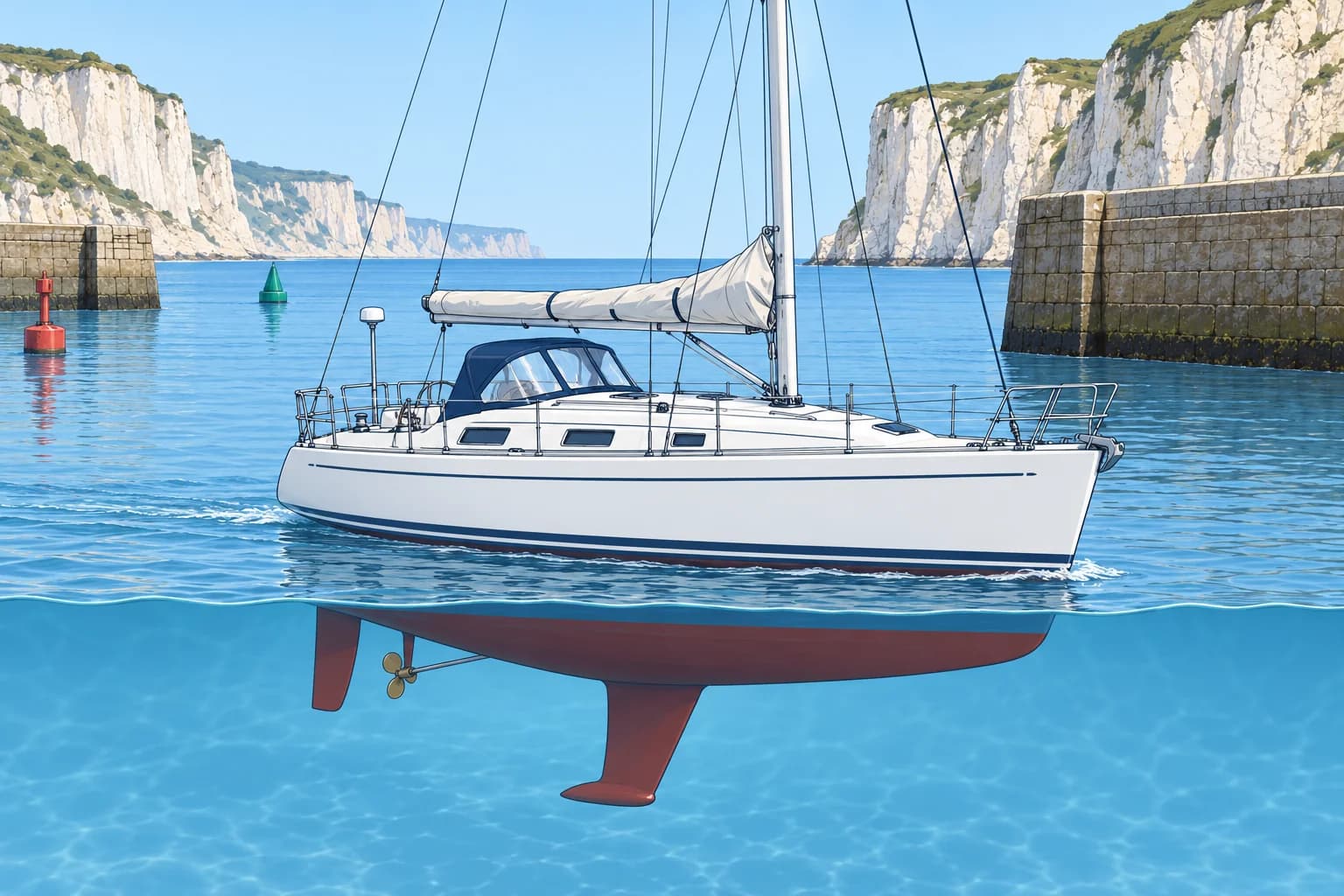
Every GNSS (global navigation satellite system) position carries some error. GPS and Galileo are examples. Small errors come from satellite clocks and orbits. The ionosphere, a layer of charged particles high above Earth, delays signals. Disturbances can increase this error; dual-frequency receivers reduce it. Most of the time the total error is a few metres. Solar storms, poor antenna placement or interference can make it much larger without an obvious warning.
Geometry: DOP
The receiver needs satellites spread across the sky. If they bunch together, or cliffs and tall structures hide half of them, small range errors grow into a large position error. DOP (dilution of precision) measures this; HDOP is its horizontal part. The lower the number, the better: about 1 to 2 is good, and above about 5 the position is weak. Many receivers show HDOP, or an estimated error in metres, on a status page.
Antenna and multipath
Multipath is a signal that reaches the antenna after bouncing off a quay wall, a high hull or the sea. It adds error near tall structures. Mount the antenna with a clear sky view, away from radar scanners and VHF (very high frequency) radio aerials. A masthead antenna swings as the boat rolls and heels, so the position wanders; one on the pushpit (stern rail) or an arch moves less. The plotter shows the antenna's position, not the bow's.
Lag and smoothing
Receivers average their readings to keep COG and SOG (course and speed over the ground) steady. So the display lags: after a sharp turn the COG line catches up a few seconds later, and at low speed it swings about. At speed in a narrow channel, a few seconds of lag means tens of metres. Steer by what you see and by the compass; use the screen to confirm.
Integrity and fix status
A receiver warns when it loses its fix, but the warning can be small: a symbol changes, or on some plotters DR (dead reckoning) or EST (estimated) appears while the boat icon keeps moving from its last course and speed. The position then looks normal but is only a guess. Learn where your plotter shows the fix status, and look at it whenever the view and the screen disagree.
Datum and chart
A horizontal datum mismatch (different position reference) or survey error can misplace charted dangers even with an accurate GNSS fix; these are not receiver-position errors.
Key figures
- Ionospheric delay
- Disturbances can increase it; dual-frequency receivers reduce it
- HDOP
- Lower is better: about 1–2 good, above about 5 weak
- Typical open-sky error
- A few metres, without interference
- Display lag
- A few seconds of smoothing on COG and SOG
- Position shown
- The antenna's position, not the bow's
Remember
- Most of the time GNSS is good to a few metres; solar storms, poor geometry and interference make it worse.
- A high HDOP means poor satellite geometry and a weak position.
- Multipath and a swinging masthead antenna add error; mount the antenna with a clear sky view.
- COG and SOG are smoothed and lag behind sharp turns.
- Know how your plotter shows a lost fix: the icon may keep moving on a guess.
Common mistakes
Wrong: If the boat icon is still moving, the receiver still has a fix.
Right: Some plotters keep moving the icon from the last course and speed after the fix is lost. Check the fix status.
Wrong: Mount the GNSS antenna as high as possible, at the masthead.
Right: A masthead antenna swings with roll and heel. A clear-sky mount on the pushpit or an arch is steadier.
Wrong: A position given to a few metres must be correct.
Right: Fine coordinates or a small estimated error do not guarantee accuracy. Multipath, interference and chart errors may not be reflected in that estimate. Cross-check independently.
Worked case
You are leaving a harbour under high cliffs, with a ferry quay alongside. The plotter puts you 30 m inside the breakwater, and its status page shows an HDOP of 7. The channel is narrow.
Show the answer
Cliffs hide satellites and the quay reflects signals: poor geometry (HDOP 7) and multipath make the position unreliable. Slow if needed. Use visible channel marks, compass and depth to maintain safe clearance. Compare GNSS with independent observations when clear of the cliffs, check fix status and HDOP, and continue cross-checking.
Practice question
Your receiver shows an HDOP of 8. What does this tell you?
- The satellite geometry is poor; the position is weak
- Eight satellites are in view and the fix is excellent
- The receiver has corrected every position error
- The antenna is too high and is swinging with the roll
Show the answer
Answer: A. DOP measures satellite geometry. The higher the HDOP, the more small range errors are magnified into a large horizontal error.
2 · Interference
Jamming and spoofing: what to do in a real event
Jamming can degrade or remove your fix; spoofing can give you a false one. Know the symptoms, the instruments affected and the safe actions to take.
What has changed
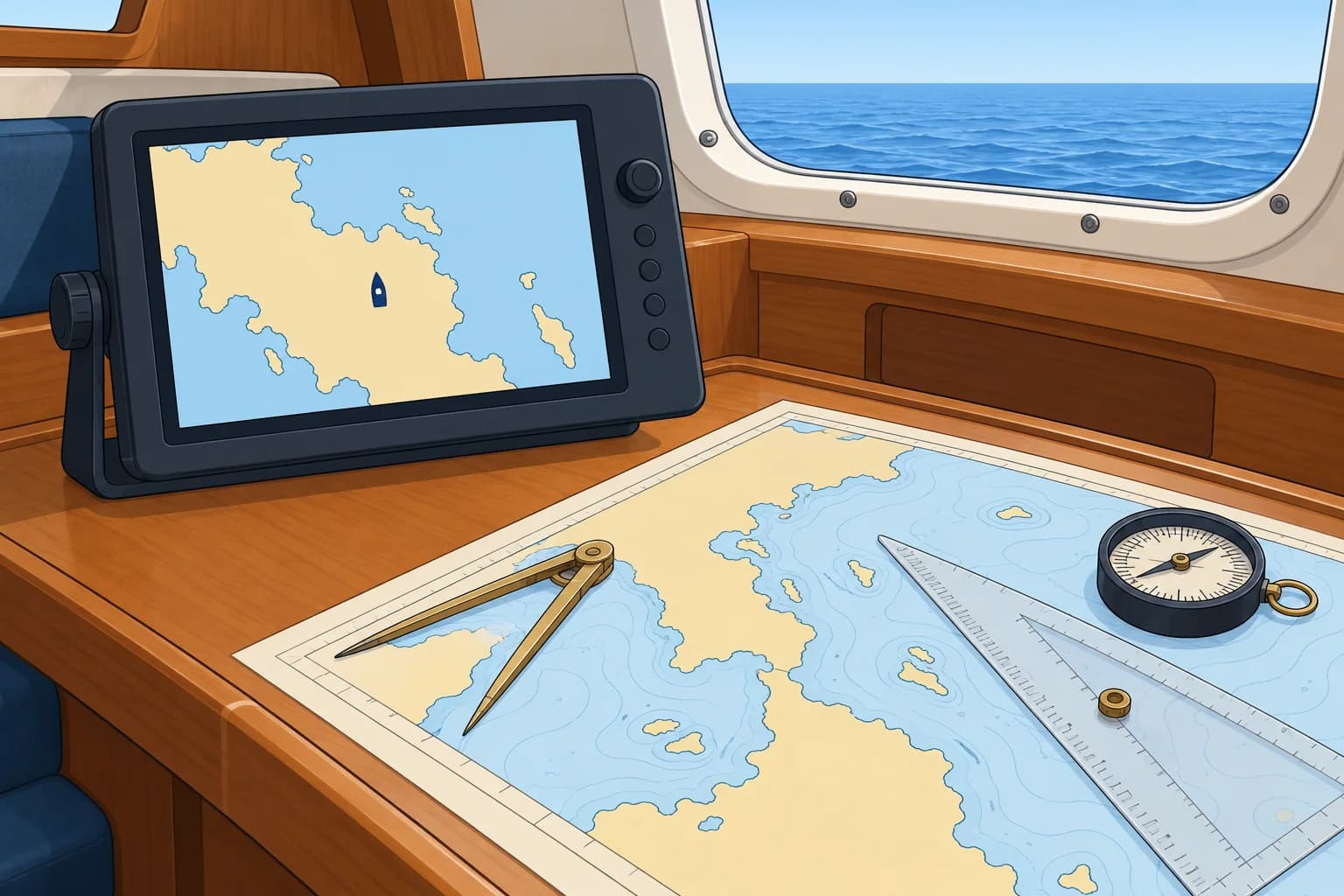
Interference with satellite signals is now a routine hazard. In March 2025 the IMO, ICAO and ITU, the UN agencies for shipping, aviation and radio, jointly warned of a sharp rise in jamming and spoofing. In June 2025 an IMO circular letter warned of frequent disturbances in the Baltic, and in mid-June close to a thousand ships a day were affected in the Gulf and the Strait of Hormuz. The GPS basics unit lists the main hotspots.
Jamming or spoofing?
Jamming is radio interference that can degrade, freeze or remove a fix; alarms may be inconspicuous. Some plotters keep estimating, so the screen may look normal. Spoofing sends false signals that can make a position jump or drift. Several receivers can accept the same false position; agreement does not rule it out. Compare with independent observations such as radar, depth or bearings, and keep checking fix status.
What it reaches
A false position can spread into everything fed by GNSS: the plotter, the autopilot in track mode (steering to waypoints), your AIS (automatic identification system) position on other ships' screens, the position in a DSC (digital selective calling) distress alert from the VHF, and the clock. An autopilot following a route from a spoofed position can steer confidently the wrong way. Know which instruments take GNSS data.
Plan and report
Before sailing, read navigational warnings for interference or testing. Log and report the time, position and symptoms to the coastguard or national authority; in the US, use the Coast Guard Navigation Center (NAVCEN). Galileo's OSNMA (Open Service Navigation Message Authentication), in service since July 2025, authenticates navigation-message data on compatible receivers. It helps detect some spoofing, but does not guarantee position accuracy or prevent jamming.
Key figures
- Joint UN warning
- IMO, ICAO and ITU, March 2025
- Baltic warning
- IMO Circular Letter No. 5037, June 2025
- Gulf and Hormuz, mid-June 2025
- About 970 ships a day affected (Windward data)
- Galileo OSNMA
- Navigation-message authentication; initial service 24 July 2025
- Most reliable backups (IMO)
- Radar, nautical charts and the magnetic compass
When you suspect jamming or spoofing
- Leave track mode. Steer a safe heading using a checked, GNSS-independent compass, manually if needed; slow near hazards and increase clearance. — Track mode uses position data. Heading mode also needs a trustworthy heading input; a satellite compass may be affected.
- Obtain an independent fix using suitable combinations of radar ranges, bearings or transits; cross-check with depth. — One bearing, transit or depth reading usually only constrains position. Independent observations help assess the GNSS position.
- Plot the fix on paper and carry on by DR from it. — Dead reckoning from a known position does not depend on the satellites.
- Do not delay a distress alert. Check or correct its position if practicable; give your independently assessed position or uncertainty by voice. — A false GNSS input can misdirect rescuers. Position checks must not delay an urgent alert.
- Compare returning GNSS positions with independent observations before using them again, and continue checking. — Agreement supports the position but does not prove the received signals are genuine.
Remember
- Jamming can degrade or remove the fix; spoofing can give a false position that looks normal.
- Several receivers can be spoofed together: agreement does not rule it out.
- A false position reaches the autopilot, AIS, DSC alerts and the clock.
- Leave track mode; use a checked GNSS-independent compass; slow near hazards, increase clearance, then fix and use paper DR.
- Check navigational warnings before sailing and report every event.
Common mistakes
Wrong: If the plotter and the handheld GPS agree, the position is safe.
Right: Several receivers can be fooled together. Compare with suitable independent observations such as radar ranges and compass bearings; cross-check with depth.
Wrong: Keep the autopilot in track mode while you investigate.
Right: Leave track mode. Heading mode needs a trustworthy heading input from a checked, GNSS-independent compass; steer manually if needed.
Wrong: Press the DSC distress button and trust the position it sends.
Right: Never delay an urgent distress alert. If practicable, check or correct its position; give your independently assessed position or uncertainty by voice.
Worked case
At night, the plotter jumps 9 M inland, then 2 M north of your DR. The handheld GNSS agrees. The autopilot follows a route. Radar shows two well-separated, identifiable charted headlands at usable ranges; the nearer coast is 6 M away.
Show the answer
Suspect spoofing; both receivers may be affected. Leave track mode. Steer a safe course using a checked, GNSS-independent compass, manually if needed; slow near hazards. Obtain an independent radar-range fix and record it on paper. Carry on by DR, checking radar and depth. Log and report the symptoms to the coastguard. Compare GNSS with independent observations before using it again, and keep checking.
Practice question
What is the key difference between jamming and spoofing?
- Jamming affects only AIS; spoofing affects only GPS
- Jamming disrupts fixes; spoofing can falsify them
- Jamming happens at night; spoofing happens by day
- Jamming moves the chart; spoofing moves the boat
Show the answer
Answer: B. Jamming can degrade or remove a fix; alarms may be inconspicuous and the plotter may keep estimating. Spoofing can produce a false position that looks normal.
3 · AIS
AIS: classes, limits and good use
AIS shows many vessels by name, course and speed, sometimes beyond your view. Some are missing, and reports can be old or wrong. Keep a proper lookout.
What AIS is
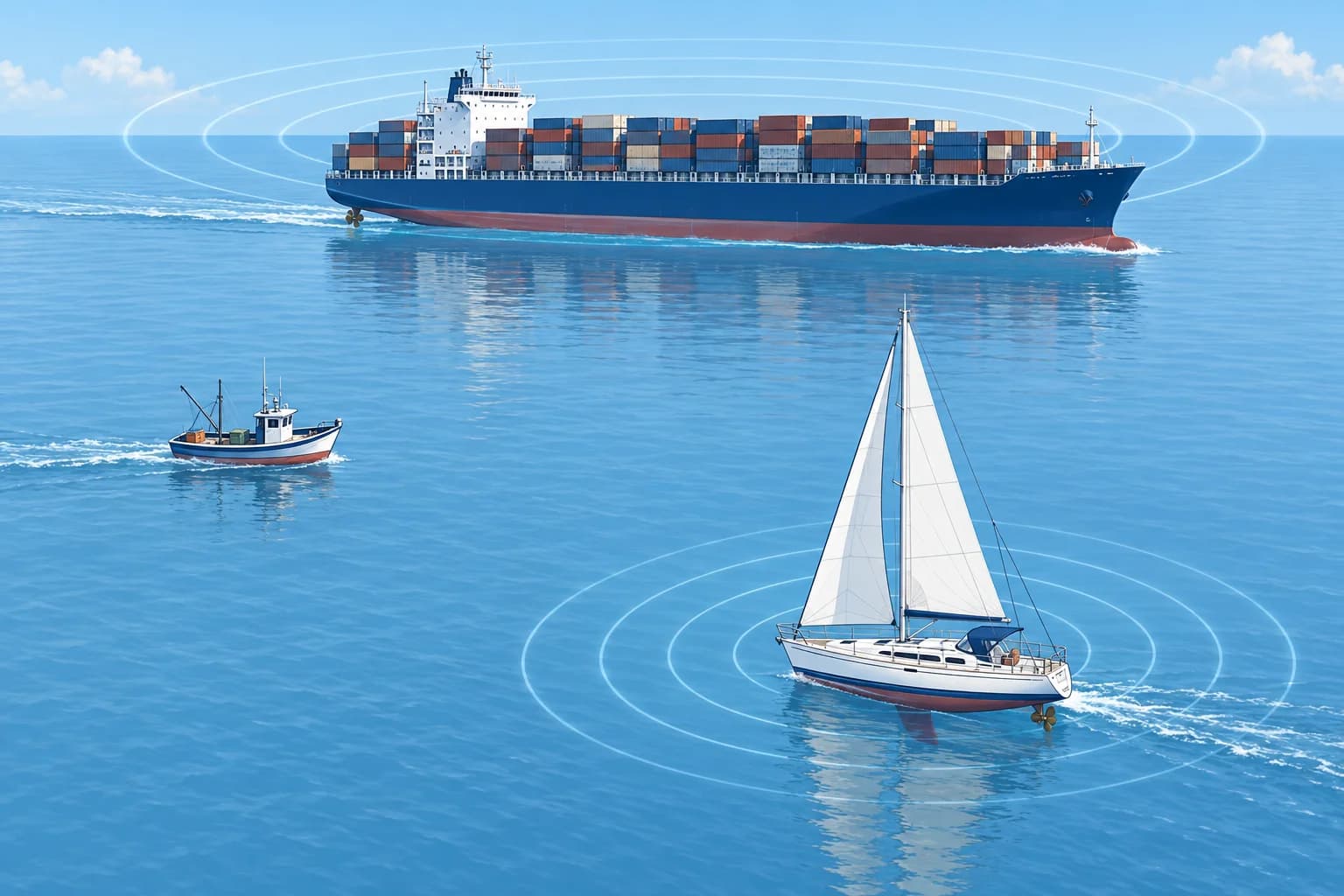
AIS (automatic identification system) broadcasts vessel data by VHF (very high frequency) radio. Static data includes name, size, type and MMSI (Maritime Mobile Service Identity), your nine-digit radio identity. These details are entered at installation. Dynamic data, including position, COG, SOG and heading, comes from GNSS and heading sensors. A receive-only set shows others; a transponder also broadcasts your data to them.
Class A and Class B
Ships required by the international Safety of Life at Sea convention (SOLAS) to carry AIS use Class A: 12.5 W, normally reporting every 2–10 seconds underway, with channel priority. Leisure boats commonly use Class B. CS (carrier sense, 2 W) reports every 30 seconds above 2 kn and can be crowded out. SO (self-organising, 5 W) reports as often as every 5 seconds at speed, more reliably. Below 2 kn, both report every 3 minutes.
What AIS does not show
Many craft have no AIS, or only a receiver: small boats, many fishing boats, warships. A transmitter can be switched off, set up wrongly or fed a false GNSS position. A Class B target can move a long way between reports. AIS does not show every danger or small craft. Keep the lookout that COLREG Rule 5 requires, and judge risk of collision as Rule 7 says, with all available means.
Using it well
AIS may show ships hidden from radar, but headlands can block VHF too. Names help with VHF calls. CPA (closest point of approach) and TCPA (time to CPA) assume both vessels maintain course and speed over the ground. After either vessel alters course or speed, displayed predictions may remain stale until new data arrives and the display recalculates. Assess risk with compass bearings or radar; never base avoiding action on AIS alone. Check your own static data.
Devices in the water
AIS-SART (search and rescue transmitter) and AIS MOB (man overboard) beacons send positions to nearby AIS receivers. Compatible displays show a circle with a cross; older equipment may show an ordinary target or message. Check compatibility. AIS-only beacons do not alert rescue centres by satellite; a PLB (personal locator beacon) or EPIRB (emergency position-indicating radio beacon) does. Some devices combine AIS and 406 MHz satellite alerting; others add DSC. Check your model.
Key figures
- Class A
- 12.5 W; 2–10 s underway; 3 min anchored/moored at ≤3 kn
- Class B CS
- 2 W; every 30 s above 2 kn; 3 min below
- Class B SO
- 5 W; every 30 s down to 5 s as speed rises; 3 min below 2 kn
- AIS-SART on screen
- Dedicated symbol on compatible displays: circle with a cross
- MMSI
- Nine-digit Maritime Mobile Service Identity
Remember
- Class A ships report every few seconds; Class B sets usually every 30 s underway; SO faster only at high speed.
- Many vessels have no AIS, and data can be old, wrong or switched off.
- CPA/TCPA assume both vessels keep course and speed; displayed predictions may use stale reports.
- Confirm risk with bearings or radar; never decide an avoiding action from AIS alone.
- AIS-only SART and MOB beacons alert nearby AIS receivers; combined devices may also alert by satellite.
Common mistakes
Wrong: No AIS target on the screen means no vessel nearby.
Right: Many craft carry no AIS, and Class B sets can be crowded out. Keep a proper lookout by sight, hearing and radar.
Wrong: A CPA of 0.5 M means the ship will pass half a mile off.
Right: CPA assumes both vessels keep course and speed, and reports may be stale. Assess the developing risk with repeated compass bearings or radar.
Wrong: An AIS-only MOB beacon calls a rescue centre by satellite.
Right: It sends positions to nearby AIS receivers. A PLB or EPIRB alerts by satellite; some devices combine AIS with satellite alerting.
Worked case
In fog, your AIS shows a ship 4 M off with a CPA of 1.2 M. Radar shows the ship and also a second, smaller echo 2 M ahead with no AIS target.
Show the answer
AIS has missed one contact, so it cannot show the whole traffic picture. Assess both contacts with radar and a proper lookout. The displayed CPA assumes both vessels keep course and speed and may use stale reports. Keep checking the developing risk. Use AIS as supporting information, never as the sole basis for avoiding action.
Practice question
Which AIS class meets SOLAS AIS carriage requirements?
- Class B CS
- Class B SO
- Class A
- Receiver
Show the answer
Answer: C. Ships required to carry AIS under SOLAS use Class A, with higher power, faster reporting and priority on the AIS channels.
4 · Overlay and ENCs
Radar overlay, ENCs and how good the chart is
Radar overlay is a quick check that position, chart and radar agree. Know why it slips, what ENC standards are coming, and how to tell how good a chart's survey is.
Radar overlay
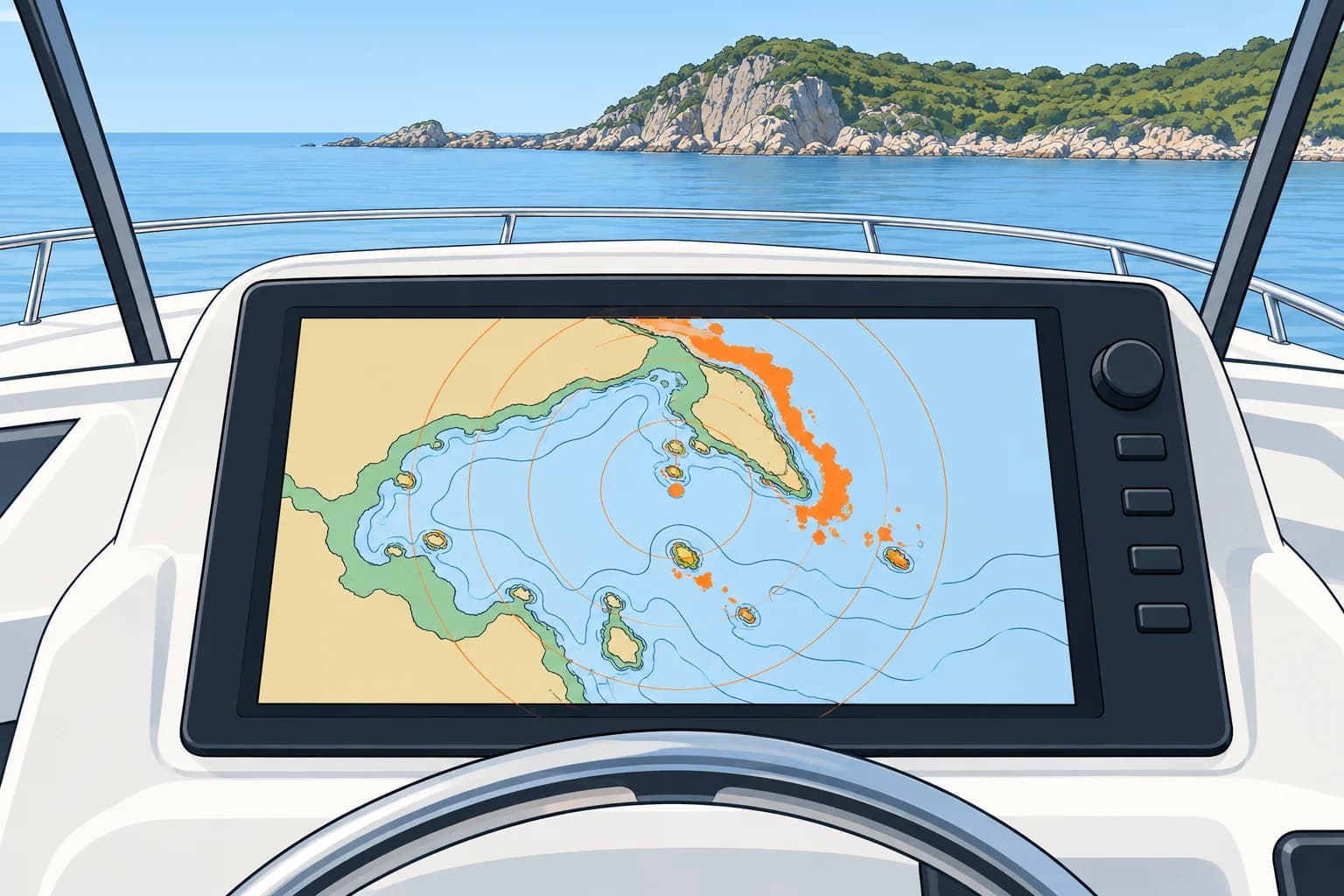
Many plotters lay the radar picture over the chart. Radar measures ranges and relative bearings without GNSS, but the overlay uses position and heading inputs. Agreement at several identifiable, well-spread charted features supports those inputs; it does not prove them correct. A straight coast can hide an alongshore error. Check whether the heading source also uses GNSS. If anything disagrees, use raw radar ranges and a separate, checked compass to investigate. The Radar on a small vessel unit teaches the controls.
Why it slips
The radar image is turned to match the chart by the heading sensor (an electronic compass). If that sensor is wrong or slow, or the scanner was not mounted square to the bow, the echoes rotate away from the coast. A wrong GNSS position or chart datum shifts the whole picture sideways. A mismatch tells you something is wrong, but not what: check the radar alone, in head-up mode (bow at the top of the screen), against a known mark ahead.
From S-57 to S-101
Official ENCs (electronic navigational charts) come from hydrographic offices. S-57 is the established ENC standard; S-101 is its successor within the S-100 family from the International Hydrographic Organization (IHO). ECDIS means electronic chart display and information system. S-100 ECDIS may be installed from 1 January 2026; new installations must support S-100 from 1 January 2029. S-57 continues alongside, with no end date set.
Zones of confidence
CATZOC (category of zone of confidence) grades survey position accuracy, depth accuracy and seafloor coverage. A1 is best, followed by A2, B, C and D; U means unassessed. A1 and A2 have full seafloor searches; B does not guarantee one. The grade does not guarantee every danger has been found. A paper chart's source diagram shows survey dates and coverage. Allow wider margins where surveys are poor, old or unassessed.
Overscale
Zooming in past the scale the data was compiled for, called overscale or overzoom, only magnifies the same data. Many systems show a warning or a hatched pattern. Over a C or D zone at overscale, read a rock's charted edge as a wide zone, not a sharp line.
Key figures
- S-100 ECDIS allowed
- From 1 January 2026
- New ECDIS installations
- Must handle S-100 from 1 January 2029
- S-57 ENCs
- Stay in use alongside S-101; no end date set
- CATZOC assesses
- Survey position/depth accuracy and seafloor coverage
- Overlay rotated
- Suspect the heading sensor or scanner alignment
- Overlay shifted
- Suspect the GNSS position or chart datum
Remember
- Well-spread features support overlay inputs; a straight coast can hide an alongshore error. Check if heading uses GNSS.
- A rotated overlay points to heading; a shifted one points to position or datum.
- S-101 succeeds S-57; new ECDIS must handle S-100 from 2029.
- CATZOC grades position/depth accuracy and seafloor coverage: A1 best, D poorest, U unassessed.
- Overscale does not make data more accurate.
Common mistakes
Wrong: When the overlay is off, rotate the radar until it matches the chart.
Right: First check the radar alone against a mark ahead. Adjusting it to fit the overlay can hide a GNSS or datum error.
Wrong: An accurate GNSS position makes any chart safe to follow closely.
Right: In a C, D or unassessed zone dangers may be far from their charted place. Give them a wide berth.
Wrong: S-57 charts stop working in 2029.
Right: From 2029 newly installed ECDIS must handle S-100, but S-57 ENCs stay in use alongside, with no end date set.
Worked case
The radar overlay has a constant angular rotation of about 10° clockwise from the charted coast; sideways separation grows with range. Two radar ranges to well-separated, identifiable charted objects agree with the GNSS position.
Show the answer
The independent ranges support your position; the rotated overlay suggests a heading or scanner-alignment error. The angular error stays constant while sideways separation grows with range. Check the radar's alignment against a known mark ahead. Until resolved, use radar ranges and bearings from a separate, checked magnetic compass.
Practice question
The radar overlay is rotated, but an independent radar-range fix agrees with GNSS. What is the likely cause?
- An error in the GNSS position
- The wrong chart datum in the plotter
- An error in the heading input
- Strong sea clutter near the boat
Show the answer
Answer: C. Independent ranges support the position. A constant angular rotation suggests a heading-input or scanner-alignment error; sideways separation grows with range.
5 · Cross-checking
Cross-checking and carrying on when the plotter fails
Check the electronic position against something independent, at set times. When the plotter fails, carry on from your last logged position without drama.
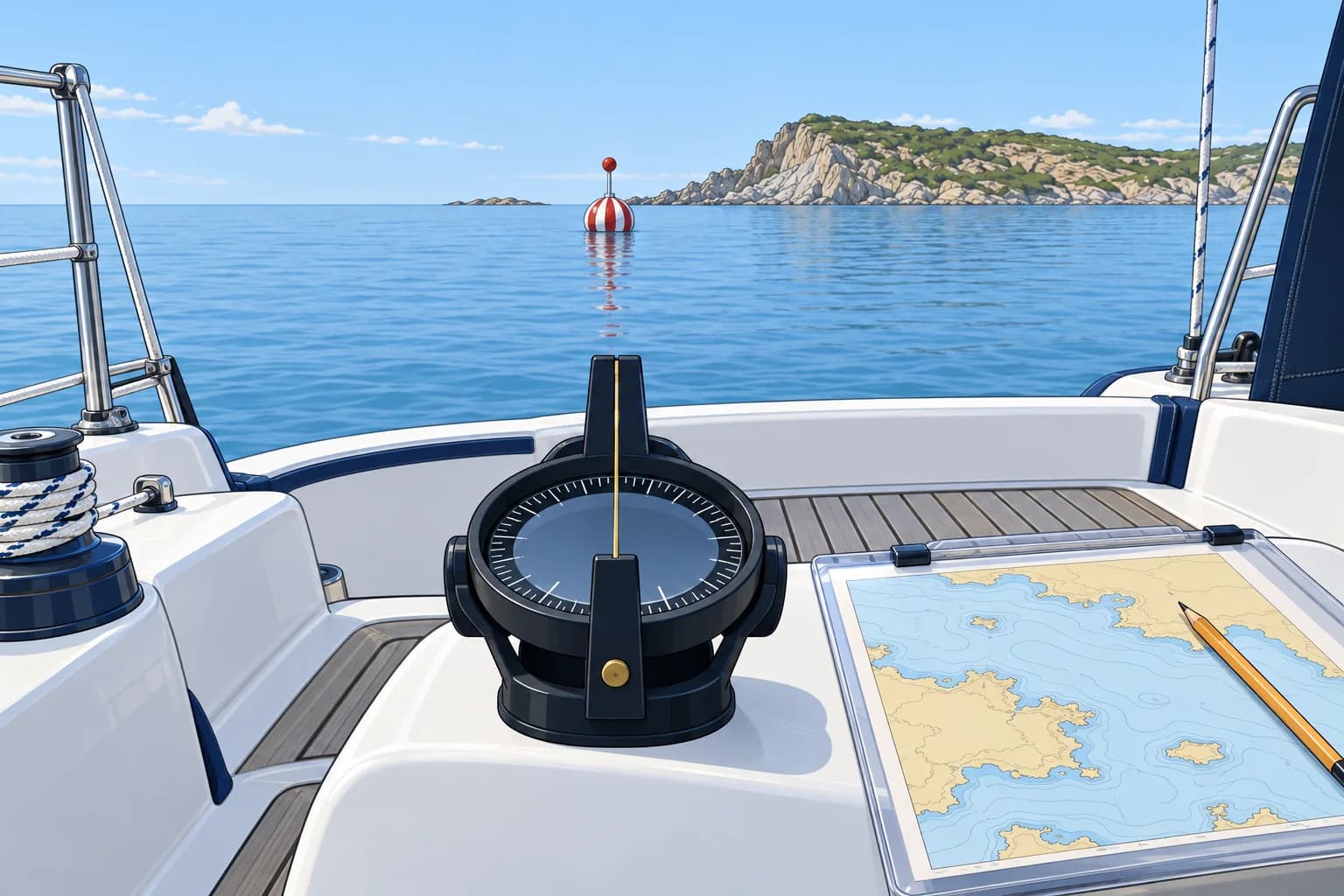
One source is not enough
A cross-check compares your electronic position with observations independent of GNSS. Agreement increases confidence, but is no guarantee. If sources disagree, keep clear of danger while you recheck observations and instrument settings. One bearing, transit or depth reading is usually not a complete fix. Make independent checks at set times, not only when something looks wrong.
Quick checks
Depth: convert the sounder reading to depth below the waterline, allowing for its reference and offset. Subtract height of tide to compare with charted depth. Bearings: a compass bearing, corrected to true for variation and deviation, should pass through your plotted position. Transits: two identified charted objects in line give a position line. Radar range: distance to an identified charted object gives another constraint. The Position fixing unit explains suitable combinations and plotting.
The DR check
Compare GNSS with your independently kept DR (dead reckoning) or EP (estimated position) at least hourly, more often near danger. A discrepancy is a reason to investigate, not a diagnosis. From the same starting fix, a tidal stream you have not accounted for normally produces a growing offset; a constant gap may reflect an earlier fixing or datum error. A jump or unexplained trend needs independent checks. The Dead reckoning unit explains DR and EP.
A real backup
Up-to-date paper charts at a useful scale, with your route marked and a current log, let you continue independently while you establish your position. A separately powered phone or tablet with offline charts can cover a plotter or power fault. Its GNSS position is vulnerable to the same interference, but the chart can still support navigation using independent observations.
Key figures
- Depth check
- Waterline depth − height of tide ≈ charted depth
- Routine
- Compare GNSS with DR or EP every hour
- Transit
- Identified marks in line give one position line, not a full fix
- Phone or tablet
- Backs up the display, not the satellite signal
When the plotter fails
- Make the boat safe: steer a safe compass course and slow down if needed. — Keep clear of danger and gain sea room before starting chartwork or fault-finding.
- Record the current time and log; mark the last verified fix with its own time and log, then advance it to now by DR or EP. — The last fix belongs to its original time. Your present DR or EP remains uncertain; it is not a new fix.
- Obtain an independent fix using suitable combinations of observations as soon as it is safe; use depth as a cross-check. — One observation usually only constrains position. An independent fix limits the uncertainty in your DR or EP.
- Carry on by DR or EP between fixes, logging each one. — A written trail lets anyone take over the navigation.
- Then look for the fault: power, fuse, antenna cable, settings. — Many failures are simple once the boat is safe.
- Compare the restarted plotter with an independent fix before using it again, and keep checking. — Agreement increases confidence, but does not prove the system is free of faults or interference.
Remember
- Cross-check with methods that do not use GNSS: depth, bearings, transits, radar ranges.
- Compare GNSS with your DR or EP every hour and investigate any jump.
- If sources disagree, increase your safety margin and investigate; do not simply choose one.
- A phone's GNSS shares the interference risk; offline charts can still support independent navigation.
- After a failure, make the boat safe first, then fix your position, then find the fault.
Common mistakes
Wrong: Cross-check only when the plotter looks wrong.
Right: Spoofing and chart errors can look normal. Check at set times, every hour and before each hazard.
Wrong: A tablet running a navigation app is a full backup.
Right: A separately powered tablet with offline charts can cover a plotter or power fault. Its GNSS position shares the interference risk, but the chart supports navigation using independent observations.
Wrong: When the plotter dies, start fault-finding at once.
Right: First steer a safe compass course and slow if needed. Keep clear of danger before recording positions, obtaining an independent fix or fault-finding.
Worked case
On a coastal passage at 6 kn, the plotter goes blank. Your last log entry, 40 minutes ago, gave your position and course. A headland with a charted rock off it lies 3 M ahead, and a church tower and a beacon are both charted and visible.
Show the answer
Steer clear of the rock on a safe compass course and slow if needed. Record current time and log; mark the last reliable fix with its own time and log, then advance it to now by DR or EP. Your present position is uncertain. Obtain an independent fix using the visible marks; cross-check with depth, allowing for offset and tide. Continue on paper between fixes, then fault-find. Compare the plotter with an independent fix before using it again, and keep checking.
Practice question
Which of these is an independent check on your GNSS position?
- The position on a second plotter
- The position on your phone app
- The COG shown on the autopilot
- A compass bearing of a charted mark
Show the answer
Answer: D. A checked magnetic-compass bearing is independent of GNSS. It provides a position line, usually combined with other observations for a fix. Another GNSS display is not an independent check against spoofing.